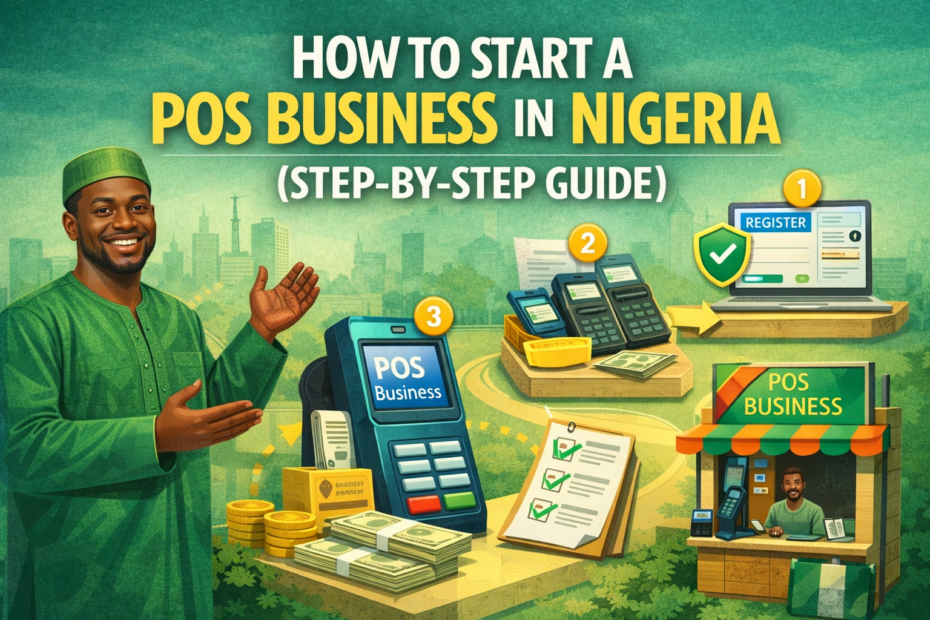
A Point of Sale (POS) business is a form of financial service that allows individuals or small business owners to offer banking services such as cash withdrawals, fund transfers, bill payments, and airtime purchases using a POS machine.
In essence, it brings basic financial transactions closer to people, especially in areas where access to traditional banking infrastructure is limited. The POS agent acts as a bridge between commercial banks and the local population, using a mobile device or terminal connected to a banking network.
In recent years, the POS business has experienced rapid growth in Nigeria, driven by a variety of factors. One of the primary reasons is the significant gap in banking services across the country.
Many rural and semi-urban communities still lack access to physical bank branches or ATMs, making it difficult for residents to perform everyday transactions. Additionally, with the growing preference for cash-based transactions in local markets, especially among traders, artisans, and small business owners, POS agents have become an essential part of the financial ecosystem.
The Central Bank of Nigeria’s push for financial inclusion has also contributed to the boom, encouraging more people to open bank accounts and use formal banking services.
However, the limited reach of banks means that POS agents are often the most accessible option for millions of Nigerians. Even in urban areas, long queues and network issues in banks have made POS operators a more convenient choice.
What makes the POS business particularly attractive is how easy it is to start. With a relatively small amount of capital—sometimes as low as ₦50,000 to ₦100,000—an individual can acquire a POS terminal from a bank or fintech company and begin operations almost immediately.
There are minimal operational requirements, and many agents run the business from small kiosks, shops, or even roadside stands. Daily profits can be substantial, depending on transaction volume, and the business requires little technical know-how to manage.
Overall, the POS business presents a profitable and accessible opportunity for aspiring entrepreneurs in Nigeria, especially those looking for a low-risk venture with steady returns.
What Is a POS Business?
A POS (Point of Sale) business refers to a retail-based financial service where agents use a POS machine to carry out basic banking transactions on behalf of customers.
These machines are connected to banking networks and allow for real-time transfers, withdrawals, and other services. In this context, POS agents are individuals or businesses authorized by banks or fintech companies to offer these banking services in underserved or busy communities.
They act as mini bank representatives, providing convenience and bridging the financial gap for people who may not have access to traditional banking infrastructure.
POS agents operate with a portable POS terminal, usually connected to a bank account, and function as intermediaries between the customer and the bank. They are commonly found in both rural and urban areas, often running their business from small shops, kiosks, or mobile stands. These agents earn money by charging a small service fee on each transaction, making it a lucrative business with low overhead costs.
The typical services offered by POS businesses include:
-
Cash withdrawals: Customers can withdraw cash directly from their bank accounts using their ATM cards.
-
Cash deposits: Some agents allow customers to deposit money into their bank accounts.
-
Fund transfers: POS operators help transfer money from one bank account to another.
-
Bill payments: Utility bills such as electricity, cable TV, and internet services can be paid through POS agents.
-
Airtime and data recharge: Customers can buy airtime or mobile data instantly.
The high demand for POS services in Nigeria stems largely from poor accessibility to banks, especially in rural communities where branches and ATMs are scarce or nonexistent.
Even in urban areas, long queues, banking delays, and frequent network issues have pushed people to rely more on POS agents for quick and easy transactions. With more Nigerians now embracing cashless and mobile transactions, the role of POS agents continues to grow, making this business one of the most in-demand and accessible ventures in the country.
Requirements to Start a POS Business in Nigeria
Starting a POS business in Nigeria is relatively straightforward, especially when compared to other types of ventures. With minimal capital and basic documentation, anyone can become a POS agent and begin offering financial services within their community. Below are the key requirements to set up and run a successful POS business in Nigeria.
1. Minimum Capital (₦50,000 to ₦150,000+)
To start a POS business, you need a small startup capital, typically ranging from ₦50,000 to ₦150,000 or more, depending on your scale. This amount covers expenses like acquiring the POS terminal (either through purchase or caution deposit), setting up a small business space (shop, kiosk, or umbrella stand), and having enough cash to meet customer withdrawal needs. Some banks and fintech companies may provide the POS machine for free, but require a minimum float balance to be maintained.
2. Valid Means of Identification and BVN
You must have a valid form of identification, such as a National ID card, Voter’s card, Driver’s License, or International Passport. In addition, your Bank Verification Number (BVN) is essential as it links your banking identity and ensures compliance with the Central Bank of Nigeria’s KYC (Know Your Customer) regulations. These documents are required when applying to become a POS agent with a bank or fintech provider.
3. Physical Business Location
A physical location is crucial for building trust and attracting customers. This could be a small shop, roadside kiosk, or a well-set-up umbrella stand in a busy area. The location should be easily accessible and ideally situated in a place with high foot traffic, such as markets, bus stops, or residential communities with limited access to banking services.
4. A Smartphone (Optional but Useful)
While not mandatory, having a smartphone can be a big advantage. It allows you to monitor transactions, resolve issues faster, access mobile banking apps, and communicate with your service provider or customers in real time. Some fintech platforms even require a smartphone for onboarding or using their mobile apps.
With these basic requirements in place, anyone can launch a profitable POS business and begin earning daily commissions by offering essential financial services to their community.
Step-by-Step Guide to Starting a POS Business
Starting a POS business in Nigeria can be a simple yet rewarding venture when approached with the right steps. Below is a detailed, step-by-step guide to help you launch and manage your POS operations successfully:
Step 1: Decide on Your Business Model
Begin by deciding whether you want to operate as an independent agent under your own business name or register directly under a fintech platform or bank agent network. Many beginners prefer to start under established fintech companies because they provide support, ready-to-use platforms, and sometimes free POS machines.
Step 2: Choose a POS Service Provider
Select a reputable POS service provider that aligns with your business goals. Popular options in Nigeria include Opay, Moniepoint, Palmpay, Baxi, and Kuda. Compare their transaction charges, machine cost, network reliability, and customer support before making a choice. Each provider has different onboarding requirements and benefits.
Step 3: Register and Fulfill KYC Requirements
Once you’ve chosen a provider, proceed with their registration process. You’ll be required to submit valid documents such as:
-
A government-issued ID card
-
Your Bank Verification Number (BVN)
-
Passport photograph
-
Utility bill or proof of business location
These documents help the provider verify your identity and register you as an official POS agent.
Step 4: Get a POS Machine
After approval, you will receive your POS terminal. Some providers offer free POS machines if you meet certain transaction targets, while others may charge a caution fee or sell the machine outright. Choose an option that fits your startup capital and business goals.
Step 5: Fund Your Wallet/Account
Before you can perform transactions, you must fund your POS account or wallet. This float allows you to process customer requests like withdrawals and transfers. Ensure you have enough working capital to meet daily demand.
Step 6: Start Operations and Offer Excellent Customer Service
Set up your business in a visible and accessible location. Maintain a positive attitude, be trustworthy, and provide fast, reliable service. This will help you build customer loyalty and grow your client base quickly.
Step 7: Keep Records and Manage Risks
Track your daily transactions, monitor your cash flow, and stay alert to potential fraudulent activities or network issues. Having a record-keeping system helps with accountability and financial management, while staying informed helps you handle technical or operational challenges.
By following these steps, you can establish a solid and profitable POS business that meets the daily financial needs of your community.
How Much Can You Make from a POS Business?
Running a POS business in Nigeria can be quite profitable, especially if you operate in a busy location with high foot traffic. Your earnings depend largely on the volume of transactions you handle daily and the commission or charges you collect per service. Below is a breakdown of the potential income you can expect from a POS business in Nigeria.
1. Commission Breakdown per Transaction
POS agents earn a small commission or charge a service fee for each transaction processed. Here’s a general estimate of typical charges:
-
Cash Withdrawals:
-
₦100–₦200 charge for withdrawals between ₦1,000 to ₦10,000
-
For larger amounts (₦20,000–₦50,000), charges are usually capped at ₦100–₦300
-
Banks or fintechs often charge agents about 0.5% per transaction, leaving room for profit.
-
-
Cash Deposits and Transfers:
-
Agents typically charge between ₦50 to ₦100 per transfer depending on the amount
-
The cost to the agent is often ₦10–₦20, yielding a decent margin
-
-
Bill Payments, Airtime & Data Sales:
-
Commission rates range from 2% to 5% per sale
-
For example, selling ₦1,000 airtime could earn you ₦20–₦50 in profit
-
2. Daily Earning Potential
In moderately busy areas, POS agents can handle between 30 to 100 transactions daily. Here’s a sample estimate:
-
30 withdrawals @ ₦100 = ₦3,000
-
15 transfers @ ₦50 = ₦750
-
Airtime/Data commissions = ₦500
-
Total daily income = ₦4,000 – ₦5,000
In high-traffic areas like markets, bus stops, or densely populated residential areas, agents can make even more—up to ₦7,000–₦10,000 daily.
3. Monthly Income Estimates
-
Low-volume location: ₦2,000 x 25 days = ₦50,000/month
-
Mid-volume location: ₦4,000 x 25 days = ₦100,000/month
-
High-volume location: ₦7,000 x 25 days = ₦175,000/month or more
Keep in mind that income can vary due to network issues, competition, or cash availability, but with consistency and good customer service, the POS business remains one of the most profitable small ventures in Nigeria today.
Challenges to Expect in the POS Business
While the POS business in Nigeria is profitable and growing rapidly, it also comes with its fair share of challenges. New and existing agents must be aware of these obstacles to better prepare for them and reduce financial or reputational losses. Below are some of the most common challenges you may encounter as a POS agent:
1. Network Failures
One of the biggest frustrations POS operators face is frequent network downtime. Poor internet or bank network connectivity can delay transactions, cause failed transactions, or even double charges.
These issues not only slow down service but also frustrate customers, leading to a potential loss of trust and repeat business. Sometimes, a successful transaction may not reflect immediately, forcing customers and agents into conflict.
2. Fake Bank Alerts
POS agents must be wary of fraudsters sending fake credit alerts, especially during deposit transactions. These scammers often use mobile banking apps or manipulated SMS messages to deceive agents into thinking a transaction was completed.
Without proper confirmation through the agent’s terminal or app, accepting such alerts can lead to direct financial loss. It’s essential to verify every payment on the platform used before handing over cash or value.
3. Cash Availability
As a cash-based business, having enough cash on hand to meet customer withdrawal demands is critical. During periods of cash scarcity—such as currency redesigns, ATM shortages, or bank limits—POS agents may struggle to meet customer needs. This can lead to reduced income and customer dissatisfaction. Planning float levels and having access to bank branches or wholesalers can help mitigate this issue.
4. Security and Fraud Concerns
Operating a POS business often involves handling large amounts of cash, making agents targets for theft and robbery. Some agents have lost money due to physical attacks, especially in isolated or poorly lit areas.
There’s also the risk of fraudulent transactions, cloned cards, and cyberattacks, especially when using less secure platforms. To manage this, agents should operate in safe, visible locations and use secure fintech platforms with good fraud monitoring systems.
In summary, while the POS business is promising, it’s important to prepare for these operational risks. With proper training, vigilance, and smart money management, many of these challenges can be minimized or completely avoided.
Tips for Success in the POS Business
Achieving success in the POS business goes beyond owning a terminal and processing transactions. It requires strategic planning, customer service, and consistent management to stand out in a competitive market. Below are key tips that can help any POS agent thrive and grow in Nigeria’s fast-paced financial services industry:
1. Choose a High-Traffic Location
Location is one of the most important factors in the success of your POS business. Operating in a busy area—such as markets, motor parks, schools, residential estates, or near ATM-scarce zones—can significantly increase your daily transaction volume.
The more foot traffic you get, the higher your chances of earning more commissions. Avoid areas already saturated with POS agents unless you can offer better service or added value.
2. Build Customer Trust
Trust is the foundation of every successful POS business. Handle every transaction with transparency, avoid shortcuts, and never engage in fraudulent practices. Always provide receipts, be polite, and treat customers with respect.
If there’s a failed transaction or delay, explain the situation calmly and follow up until it’s resolved. Reliable agents often grow their customer base through word-of-mouth referrals.
3. Partner with Multiple Platforms for Backup
Depending on just one POS service provider can limit your ability to operate during network failures or downtimes. Consider registering with multiple providers like Moniepoint, OPay, Palmpay, and Baxi.
This allows you to switch platforms easily when one is having technical issues, ensuring that your business stays active and reliable no matter the situation.
4. Monitor Transactions Closely
Stay alert and monitor every transaction in real time. Always verify transfers, avoid accepting fake alerts, and double-check customer details. Keeping accurate records helps you track your earnings, resolve disputes, and prevent losses due to errors or fraud. Use apps, SMS notifications, and printed receipts to confirm each transaction.
In conclusion, succeeding in the POS business requires more than just owning a terminal—it takes consistency, integrity, adaptability, and customer focus. By following these tips, you can build a strong reputation, retain loyal customers, and maximize your earning potential.
Conclusion
The POS business in Nigeria continues to stand out as one of the most accessible and profitable small-scale ventures. With modest capital, minimal technical knowledge, and a strategic location, anyone can tap into the growing demand for financial services, especially in communities with limited access to traditional banking infrastructure. Daily earnings can add up quickly, and with consistent service and high transaction volumes, monthly income can reach impressive levels.
However, beyond the money-making potential, the long-term success of a POS business depends heavily on reliability, honesty, and good customer service. Customers are more likely to return and refer others when they experience fast, secure, and friendly transactions. In a highly competitive market, building a solid reputation as a trustworthy POS agent will give you an edge over others.
For those interested in starting, it’s important to begin with what you can afford. You don’t need a large shop or a fleet of terminals on day one. Many successful agents started with just a single POS device and a small umbrella stand. Over time, they scaled up by reinvesting their profits, expanding their float, upgrading their equipment, and even opening multiple locations.
In summary, the POS business offers a practical way to earn steady income, meet essential community needs, and grow into a full-fledged financial service venture. With the right mindset, a secure location, and commitment to excellent service, anyone can turn this simple idea into a sustainable and rewarding business.
FAQs
How to operate POS for beginners step by step?
Operating a POS (Point of Sale) machine for the first time may seem overwhelming, but with a clear step-by-step guide, beginners can handle it smoothly. Here’s how to operate a POS machine as a beginner:
Step 1: Power On the POS
Most POS machines have a power button. Hold it down for a few seconds until the screen lights up.
Step 2: Insert SIM Card or Connect to Internet
POS terminals require internet connectivity. Insert a data-enabled SIM card or connect the device to Wi-Fi.
Step 3: Log In to the POS Interface
Use your merchant credentials (provided by the POS provider) to log in. Some POS machines may have biometric or PIN login.
Step 4: Choose Transaction Type
Select the type of transaction you want to perform — withdrawal, deposit, transfer, bill payment, etc.
Step 5: Insert/Swipe Card or Enter Account Number
Depending on the transaction, either insert/swipe the customer’s ATM card or input the account details manually.
Step 6: Input Amount and Confirm
Type in the transaction amount. Double-check and press “Enter” or “OK.” A prompt for the customer’s PIN will follow.
Step 7: Print Receipt
Once the transaction is successful, a receipt will print automatically. Give the customer a copy and retain one for records.
Step 8: Log Out or Return to Home Screen
After transactions, either log out or return to the home screen, especially in shared environments.
Important Tips for Beginners:
-
Always double-check customer details before confirming transactions.
-
Ensure the machine has enough paper for printing receipts.
-
Keep the POS terminal charged or connected to power to avoid disruptions.
-
Maintain daily transaction records for accountability.
Learning to operate a POS is quite simple once you get the hang of it. With practice, most beginners become proficient in less than a week.
What do I need to know before starting a POS business?
Before starting a POS business, there are several key things you must understand to ensure long-term success and sustainability.
1. Capital Requirement:
While POS businesses are relatively low-cost to start, you’ll still need money for a POS terminal, initial cash float, shop space or umbrella stand, and registration. Depending on the provider, you may need between ₦20,000 to ₦100,000 or more to get started.
2. Choosing a Reliable POS Provider:
There are several POS providers in Nigeria such as OPay, Moniepoint, PalmPay, and First Bank. Choose one with a good reputation for transaction speed, low failure rates, and fair charges.
3. Location is Critical:
Your business location can determine your daily income. Areas with low access to banks and high human traffic are ideal, such as markets, bus stops, or residential areas.
4. Understand Transaction Charges:
Know how much you’ll be charged per transaction and how much you can charge your customers. Most agents charge between ₦100–₦300 per ₦5,000 withdrawal, depending on the area.
5. Risk of Fraud or Theft:
Security is a major concern. Be cautious of fraudulent customers, use CCTV if possible, and always verify identities when necessary.
6. Float Management:
Ensure you always have enough cash and bank balance to perform transactions. Float mismanagement can lead to lost customers.
7. Registration and Licensing:
While not all providers demand registration with the CBN, operating legally is beneficial. Some aggregators may require a valid ID, BVN, and account details.
8. Customer Service Skills:
POS is a people-centered business. Being polite, patient, and professional will help you retain customers and build trust.
Understanding these essentials will position you for a strong start and better long-term success in the POS business.
How much is the Moniepoint target per day?
Moniepoint is one of the most popular POS providers in Nigeria, especially known for its reliability and fast transaction processing. The daily target set by Moniepoint varies depending on the type of POS device issued and the agent’s agreement during onboarding.
Typically, Moniepoint agents are expected to meet a daily target of about ₦20,000 to ₦30,000 in transaction commissions, not in cash volume. This doesn’t mean you need to process only ₦20,000 in customer withdrawals or transfers, but rather you must generate a certain amount in transaction fees that Moniepoint collects.
Let’s break it down:
-
If Moniepoint charges ₦20 per ₦1,000 withdrawn, you may need to process transactions worth ₦100,000–₦150,000 daily to meet your commission target.
-
If you meet your daily target consistently, the POS device remains free or subsidized. Failing to meet the target for multiple days may attract penalties or device retrieval.
Why Does Moniepoint Set a Target?
This target helps Moniepoint ensure that agents actively use their terminals and generate revenue for the platform. It also determines whether you qualify for benefits such as loan offers, reduced charges, or terminal upgrades.
Can You Operate Below Target?
Yes, but it may come with consequences such as reduced support or terminal deactivation over time.
Pro Tip: If you’re in a low-traffic area, consider partnering with retailers or offering mobile marketing to boost your daily transaction volume.
Meeting Moniepoint’s daily target is feasible, especially in busy locations or by offering added services like bill payments, airtime top-up, and transfers.
Can I start POS business with 20k?
Starting a POS business with ₦20,000 in Nigeria is possible but comes with significant limitations. To make this work, you’ll need a strategic approach and possibly some external support.
Here’s how you might break it down:
1. Partner with Free POS Providers:
Some platforms like OPay, PalmPay, or Moniepoint offer free POS terminals if you meet their usage requirements. They may ask for a refundable caution fee (ranging from ₦10,000–₦20,000), meaning you could still start within your budget.
2. Leverage Commission-Based POS:
Some super agents or aggregators give POS machines on a commission-sharing basis. They retain a portion of your earnings in exchange for the device, allowing you to start with little capital.
3. Limited Float
Your ₦20,000 may serve as your initial cash float — the money you’ll use to give customers when they withdraw. However, this amount can only serve a few customers before needing to be replenished.
4. Start as a Sub-Agent
Instead of owning a POS machine immediately, you can work under an existing agent who allows you to operate a terminal on commission. This gives you experience while saving money.
Challenges to Expect:
-
Low transaction volume due to small float
-
Limited ability to scale
-
Potential device restrictions if not meeting daily targets
Tips to Succeed with 20k:
-
Focus on small-value transactions (₦1,000–₦5,000)
-
Save up daily profits to increase float gradually
-
Reinvest consistently
-
Avoid renting space initially; use a simple umbrella kiosk
While ₦20,000 won’t buy you a full-scale POS business immediately, it’s a solid stepping stone if you use creativity and partnerships wisely.
How to operate POS for beginners?
Operating a POS machine for beginners requires familiarity with the device, attention to detail, and good customer service. Here’s a practical beginner’s guide to using a POS machine effectively:
1. Understand the Machine’s Features:
Familiarize yourself with the buttons, touchscreen interface, printer, SIM slot, and charging port. Some POS devices are android-based, while others use keypad navigation.
2. Learn the Login Process:
You’ll need credentials (username and password or biometric verification) from your POS provider to access the dashboard. This dashboard is where all transactions are initiated.
3. Know the Transaction Types:
Basic services include:
-
Cash withdrawals
-
Deposits
-
Transfers
-
Airtime recharge
-
Utility payments (e.g., electricity, TV subscriptions)
4. Execute a Sample Transaction:
Here’s a basic process for a withdrawal:
-
Select “Cash Withdrawal”
-
Insert customer’s ATM card
-
Input withdrawal amount
-
Customer enters PIN
-
Wait for transaction approval
-
Print and issue receipt
5. Handling Errors:
If a transaction fails or declines, don’t panic. Check your transaction history. Only refund after confirming a failed status both on the POS and the customer’s bank app.
6. Maintain Good Records:
Keep copies of all receipts and a log of daily transactions. This helps in case of complaints or network errors.
7. Be Customer-Friendly:
Greet customers politely. A little friendliness builds trust and keeps customers coming back.
8. Stay Powered and Connected:
Charge the device daily and ensure it’s loaded with paper rolls and connected to the internet.
For beginners, practicing regularly and staying informed through your POS provider’s updates or support groups is essential for building confidence and ensuring accuracy in your service.
How much is OPay POS?
The cost of an OPay POS machine in Nigeria varies depending on the type of device you choose and the method through which you acquire it. As of 2026, OPay offers three major types of POS terminals: the Smart POS, Traditional POS, and the Mini POS. Each has its own pricing and features.
1. Caution Fee Model (Refundable):
For most OPay POS terminals, you don’t directly “buy” the device. Instead, you pay a refundable caution fee, which serves as a security deposit.
-
Traditional POS (Black Box style): ₦20,000 – ₦25,000 caution fee
-
Smart Android POS: ₦45,000 – ₦55,000 caution fee
-
Mini POS (smaller card reader type): ₦10,000 – ₦15,000 caution fee
If you stop using the terminal and return it in good condition, OPay may refund the caution fee.
2. Full Purchase Model (Non-Refundable):
In some cases, agents or third-party sellers might offer the POS for outright sale, but this is less common and usually not encouraged by OPay. In this case, you could pay between ₦50,000 – ₦70,000 for a standard OPay Smart POS.
3. Additional Costs:
Regardless of the model, you’ll need a startup float (operating capital) of at least ₦20,000–₦50,000 to carry out transactions. Also, ensure the device has a strong data SIM or Wi-Fi for seamless processing.
4. Where to Apply:
Apply directly through the OPay app or visit a physical OPay office. Avoid third-party sellers unless verified, as scams are common.
Final Tip:
Getting your OPay POS through the official channel ensures better support, firmware updates, and customer service. Choose your device based on your location, expected traffic, and budget. The mini POS is great for mobile agents, while the Smart POS is better for high-traffic locations.
How do I set up my own POS system?
Setting up your own POS (Point of Sale) system involves a combination of getting the right hardware, choosing a reliable service provider, and preparing your business environment for daily transactions. Here’s a step-by-step guide to setting up a POS system in Nigeria:
1. Choose a POS Service Provider:
Start by selecting a provider such as OPay, Moniepoint, PalmPay, FirstMonie (First Bank), or Baxi. Compare them based on transaction success rate, charges, machine types, support, and commission rates.
2. Apply and Register:
Download the provider’s app and fill out the application form. You’ll usually need:
-
BVN
-
Valid ID card (NIN, Voter’s Card, or Driver’s License)
-
Utility bill for address verification
-
Passport photo
-
Active bank account
3. Pay Caution Fee or Purchase Device:
Most POS terminals require a caution fee (₦10,000 – ₦55,000), depending on the device type. Pay this through the app or directly at the provider’s office.
4. Receive and Activate the POS Terminal:
Once approved, the provider will deliver the POS machine to you or instruct you to pick it up. You’ll get a user guide and training on how to use the device.
5. Fund Your Wallet (Float):
To perform transactions, you need an e-wallet float. Fund your wallet through a bank transfer from your registered account. This float allows you to process withdrawals and transfers.
6. Set Up Your Kiosk or Shop:
If you don’t have a permanent shop, use a small umbrella kiosk or table with a banner showing your services. Make sure it’s in a high-traffic area.
7. Start Transactions and Keep Records:
Perform services like withdrawals, deposits, and bill payments. Always issue receipts and log your daily transactions to avoid disputes.
Final Tip:
Test your POS daily before opening for business. Also, get a ledger to track float, profit, and network issues. With consistency and good customer service, your POS business will grow steadily.
Can I get a POS machine from First Bank?
Yes, you can get a POS machine from First Bank Nigeria through their agency banking service called Firstmonie. The bank offers this opportunity to individuals and businesses interested in becoming Firstmonie Agents — essentially acting as mini banking outlets in communities with limited access to full bank branches.
Here’s how you can get started:
1. Requirements for First Bank POS:
To become a Firstmonie agent and receive a POS machine, you must provide:
-
A valid means of identification (National ID, Driver’s License, or Voter’s Card)
-
A recent utility bill (within 3 months)
-
Two passport photographs
-
A registered business name or shop (though individuals without a business can also apply)
-
An account with First Bank
-
BVN
2. Application Process:
You can apply in two ways:
-
Visit any First Bank branch and ask for the Firstmonie Agent form.
-
Or go through the Firstmonie Agent Recruitment Portal (if available).
After submission, First Bank will vet your application and location. If approved, they will provide a POS machine at no upfront cost — it’s usually loaned to you under the condition that you meet specific transaction volume requirements.
3. Training and Setup:
Once approved, you’ll be trained on how to use the POS machine and render basic financial services like withdrawals, deposits, bill payments, and airtime sales.
4. Ongoing Support and Monitoring:
First Bank regularly monitors agent performance. If you fail to meet the agreed usage volume over a period of time, the bank may retrieve the POS machine.
Final Tip:
Ensure you operate in a high-traffic area and provide quality customer service. Being a Firstmonie agent gives you the trust and backing of a major Nigerian bank, which can increase customer confidence.
Which POS machine is the best in Nigeria?
Choosing the best POS machine in Nigeria depends on your business needs, location, and customer base. However, based on speed, reliability, customer support, and transaction success rates, the top-rated POS machines in Nigeria currently include:
1. Moniepoint POS
-
Pros: Very fast transaction speed, minimal failure rate, good agent commission, 24/7 support
-
Cons: Requires meeting daily targets to avoid penalties
-
Best for: High-volume locations and full-time agents
2. OPay POS
-
Pros: Low transaction fees, user-friendly mobile app, flexible device options (mini, traditional, and smart)
-
Cons: Can sometimes experience network issues
-
Best for: Both low and high-volume areas, mobile agents
3. PalmPay POS
-
Pros: Easy onboarding, cashback offers, strong brand support
-
Cons: Slightly higher commission sharing compared to Moniepoint
-
Best for: Urban locations and agents wanting to leverage promotions
4. Baxi Box (Now MFS Africa)
-
Pros: Great for bill payments, TV subscriptions, and airtime recharge
-
Cons: Not ideal for heavy cash withdrawal transactions
-
Best for: Agents in residential and low-traffic zones
5. Firstmonie POS (First Bank)
-
Pros: Backed by a major bank, trustworthy brand
-
Cons: Limited to First Bank account holders
-
Best for: Agents who want to operate under a traditional bank’s umbrella
Other Options:
-
Access CLOSA POS
-
Kudi POS
-
PayCentre POS
Final Verdict:
Moniepoint and OPay POS are currently the most recommended options in Nigeria for speed, commission structure, and uptime. Choose based on your business location, startup capital, and service variety.
How to calculate profit in POS business?
Calculating profit in a POS business is straightforward when you keep clear records of your daily earnings and expenses. Here’s a step-by-step guide to help you determine how much you’re actually making:
1. Understand Your Earnings per Transaction:
As a POS agent, you earn money by charging customers a service fee. For example:
-
₦100 fee for every ₦5,000 withdrawal
-
₦50 fee for transfers or utility payments
-
₦100–₦200 for cable TV or electricity bill payments
2. Deduct POS Charges and Costs:
Your POS provider will also charge you a fee for using their platform. This is usually per ₦1,000 transaction:
-
Moniepoint: ₦6.2 per ₦1,000
-
OPay: ₦10 per ₦1,000
-
PalmPay: ₦10–₦15 per ₦1,000
Example Calculation:
Let’s say you perform 20 withdrawals of ₦5,000 each at ₦100 per transaction:
-
Customer Paid You: 20 × ₦100 = ₦2,000
-
Provider Charged You: 20 × ₦5,000 = ₦100,000 → ₦100,000 / ₦1,000 = 100 units
Now, 100 × ₦6.2 = ₦620 -
Your Net Profit: ₦2,000 – ₦620 = ₦1,380
3. Subtract Other Expenses:
Don’t forget operational costs such as:
-
Data or internet subscription
-
Power/charging
-
POS paper rolls
-
Rent or kiosk setup (if applicable)
4. Weekly or Monthly Summary:
Keep a daily logbook or spreadsheet to record all income and expenses. This helps you track trends and identify high-profit periods.
Final Tip:
Reinvest a portion of your profits into float or machine upgrades. A disciplined approach to tracking and reinvesting profits will help your business grow steadily.
How to get OPay mini POS?
Getting an OPay mini POS is a great option for individuals who want to run a mobile or small-scale POS business without the high startup cost of bigger terminals. The mini POS is compact, easy to carry, and ideal for agents who operate on the move or in smaller locations.
Here’s a step-by-step guide on how to get one:
1. Download the OPay App
Go to the Google Play Store or Apple App Store and download the OPay Business App. Create an account and log in using your details.
2. Upgrade to a Merchant Account
After registration, upgrade your OPay account to a merchant account. This is mandatory before you can apply for a POS machine. You’ll need to provide:
-
Valid means of ID (NIN, Voter’s Card, etc.)
-
Passport photograph
-
Utility bill
-
BVN
-
Business or residential address
3. Apply for the Mini POS
Inside the app, locate the “Merchant POS” section. Select the Mini POS option and fill out the application form. You may be required to pay a caution fee of ₦10,000–₦15,000, which is refundable if you return the device in good condition.
4. Wait for Verification and Approval
OPay will review your application, and if approved, a field agent may visit your location to verify your details and business activity.
5. Device Delivery or Pick-Up
Once verified, you’ll either receive the Mini POS by delivery or be asked to pick it up from an OPay office or distribution center near you.
6. Start Transacting
Once you get the device, connect it to your phone via Bluetooth and begin processing withdrawals, transfers, and bill payments through the app.
Tip:
The OPay Mini POS works best with a stable smartphone and internet connection. Ensure your phone is compatible and your mobile data is active for smooth operations.
How to format a POS machine?
Formatting a POS machine is necessary when you want to reset it to factory settings, troubleshoot software issues, or prepare it for a new user. However, it’s important to do this cautiously, as it will wipe all user data, settings, and transaction logs from the device.
Here’s a general step-by-step guide to formatting a POS machine:
1. Backup Important Data
Before formatting, ensure you back up all essential transaction data and logs. If your POS syncs with a provider’s dashboard (like Moniepoint or OPay), your transactions are likely safe in the cloud, but you should still confirm.
2. Go to Settings Menu
On most Android-based POS machines, swipe down from the top or tap the “Settings” icon on the home screen. For traditional POS machines with buttons, you might need to access settings via special key combinations provided by the manufacturer.
3. Locate “Factory Reset” or “Reset to Default”
Scroll through the settings until you find either of these options. On Android POS terminals, it is often under:
-
System > Reset Options > Erase all data (Factory Reset)
4. Enter PIN or Admin Credentials
You may be prompted to enter your login PIN, admin code, or device password to proceed. This security step prevents unauthorized formatting.
5. Confirm and Begin Formatting
Once confirmed, the device will restart and begin erasing all data. Wait for the process to complete. It may take a few minutes.
6. Reconfigure the Device
After formatting, you’ll need to:
-
Reinstall your POS app
-
Log in again with your credentials
-
Reconnect to the internet
-
Recalibrate printer settings (if required)
Caution:
Only format a POS machine when absolutely necessary and preferably under the guidance of your POS provider’s support team. Incorrect formatting may void your warranty or cause the device to malfunction.
How much is a Moniepoint POS machine?
As of 2026, the cost of getting a Moniepoint POS machine in Nigeria largely depends on the model you request and whether you’re paying a caution fee or buying it outright. Moniepoint operates mainly on a lease-to-use model with a refundable deposit, not an outright purchase.
1. Caution Fee Structure:
-
Traditional POS (White terminal): ₦21,500 – ₦25,000
-
Android POS (Touchscreen model): ₦45,000 – ₦55,000
This caution fee is refundable if the device is returned in good condition, although you’ll need to meet daily usage targets consistently to avoid deactivation.
2. Where to Apply:
You can apply for a Moniepoint POS directly through their official website (moniepoint.com) or by visiting their agent onboarding offices. Alternatively, download the Moniepoint POS app and register as an agent.
3. Requirements for Getting the POS:
-
BVN
-
Valid ID
-
Recent utility bill
-
Passport photograph
-
A functioning bank account
4. Processing Time:
After a successful application, Moniepoint typically takes 3–7 business days to deliver or assign a field officer to provide the machine, depending on your location.
5. Usage Obligations:
If you fail to use the POS actively (usually processing transactions daily or weekly), Moniepoint reserves the right to withdraw the terminal.
6. Support and Repairs:
Moniepoint provides maintenance support for faulty devices as long as you meet their usage terms. They may also swap devices if they become outdated or damaged under warranty.
Final Tip:
Before paying any fee, make sure you’re dealing directly with Moniepoint or a verified aggregator. Scammers often impersonate POS agents, so double-check credentials and payment channels.
How to use POS for beginners?
For beginners, using a POS machine can feel intimidating at first, but with proper guidance, it becomes quite easy. Whether you’re running a POS business or using it for in-store payments, here’s a simple beginner-friendly guide on how to use a POS machine.
1. Power On the Device
Long-press the power button until the screen lights up. Wait for it to boot completely.
2. Login with Your Credentials
Use your merchant ID, password, or biometric login to access the dashboard. This is provided by your POS provider during onboarding.
3. Connect to the Internet
Make sure the POS is connected to a data SIM or Wi-Fi. Most transactions need internet connectivity to process.
4. Select a Transaction Type
Common POS services include:
-
Withdrawal
-
Deposit
-
Transfer
-
Airtime recharge
-
Bill payments
Choose the appropriate option from the menu.
5. Insert or Swipe Customer Card
If you’re doing a card-based transaction, insert or swipe the card. For transfers or deposits, input the account number manually.
6. Input Transaction Amount and Confirm
Type in the amount. Make sure you double-check it to avoid errors. Press “OK” or “Enter.”
7. Ask for Customer’s PIN
The customer inputs their card PIN on the POS keypad. Do not ask for it verbally; ensure privacy.
8. Wait for Transaction Confirmation
After processing, the device will display a “Success” or “Failed” message. If successful, a receipt is printed.
9. Issue Receipt
Give the customer their copy of the receipt. Keep your copy for records and dispute resolution if needed.
10. Logout or Return to Home Screen
Always return to the home screen to avoid unauthorized use if you step away.
Tip for Beginners:
Practice with small-value transactions and avoid rushing. Always cross-check details before confirming, and learn how to handle failed transactions or reversals by contacting your POS provider’s support.
How do Moniepoint POS charge?
Moniepoint has one of the most competitive and transparent POS charge structures in Nigeria. They charge agents per transaction, typically based on the amount of money being processed. The charges differ depending on whether you’re doing a withdrawal, transfer, or other services like bill payments.
Here’s a breakdown of Moniepoint’s charges:
1. Withdrawal Charges (Cash Out):
-
₦1,000 – ₦4,999: ₦6.2
-
₦5,000 – ₦9,999: ₦12.4
-
₦10,000 – ₦14,999: ₦18.6
-
₦15,000 – ₦19,999: ₦24.8
-
₦20,000 and above: ₦30 (flat)
This means that if a customer withdraws ₦20,000, Moniepoint deducts ₦30 from your wallet as their service charge, not from the customer directly.
2. Transfer Charges (Cash In):
Moniepoint charges a flat ₦20 per transfer, regardless of the amount. However, some providers may offer discounts based on performance or volume.
3. Airtime and Bill Payment:
There are usually no charges, and agents often receive commissions for these services — up to 2% on airtime and ₦20–₦50 per bill paid (e.g., electricity or TV subscriptions).
4. Reversal Fees:
If a failed transaction is reversed by the customer’s bank, no fee is charged. However, you must always check your terminal log and balance before refunding.
5. Wallet Funding Fees:
Moniepoint doesn’t charge for funding your wallet from your linked bank account. However, some banks may deduct a token for interbank transfers.
Important Tip:
Moniepoint’s low fees are one reason it’s so popular among agents. Always explain charges clearly to your customers and ensure your fee schedule allows for good profit margins after deductions.
What are the steps involved in the process of POS?
Running a POS transaction involves a series of steps that must be followed accurately to ensure successful and secure service delivery. Whether you are processing a withdrawal, deposit, or payment, understanding the proper steps can help you avoid common mistakes.
Here are the key steps involved in a typical POS process:
1. Power and Connect the POS Device
Turn on the POS machine and ensure it is connected to a stable internet connection—either through a SIM card or Wi-Fi.
2. Login to Your Account
Enter your credentials (username and password) or use biometric authentication if supported. This will take you to the transaction dashboard.
3. Select the Desired Transaction Type
On the home screen, select the type of transaction:
-
Withdrawal
-
Deposit/Transfer
-
Airtime recharge
-
Bill payment (electricity, cable TV, etc.)
4. Insert Card or Enter Bank Details
For withdrawals, insert or swipe the customer’s ATM card. For transfers or deposits, manually enter the recipient’s account number.
5. Enter the Amount
Input the amount to be transacted. Confirm it carefully before proceeding.
6. Customer Enters PIN
Ask the customer to enter their secure PIN. It’s important to protect their privacy during this step.
7. Transaction Authorization
The POS machine connects to the bank’s server to verify and approve the transaction. This usually takes a few seconds.
8. Receipt Generation
Once approved, the machine prints a receipt. Provide one copy to the customer and keep the second copy for your records.
9. Transaction Logging
Some POS apps automatically log the transaction. You should also manually record it for accuracy and accountability.
10. Logout or Return to Dashboard
To prevent unauthorized use, return to the home screen or log out if you’re not using the POS immediately again.
Following these steps ensures smooth, professional operations and enhances customer trust in your services.
How does a POS system work step by step?
A POS (Point of Sale) system works by processing payments and facilitating financial services in a structured, technology-driven process. Understanding how it works step-by-step can help both new business owners and agents operate more confidently.
Here’s a breakdown of how a typical POS system works:
1. Device Initialization
The POS machine is turned on and connects to the internet using a data SIM or Wi-Fi. The system boots into a user interface provided by the service provider.
2. User Authentication
The agent logs in with their credentials (username/password, PIN, or fingerprint). This gives access to the dashboard where transactions are initiated.
3. Transaction Selection
The user selects the type of transaction:
-
Withdrawals (cash-out)
-
Transfers (cash-in)
-
Airtime or data purchase
-
Utility bill payments (TV, electricity, etc.)
4. Customer Details Entry
Depending on the transaction type, the agent either:
-
Inserts/swipes the customer’s debit card
-
Manually inputs the recipient’s account number
-
Selects a network and amount for airtime recharge
5. Amount and PIN Entry
The transaction amount is typed in. The customer then enters their card PIN (for withdrawals or payments) securely.
6. Authorization & Communication
The POS system sends the transaction request through the network to the customer’s bank or service provider. The server checks for sufficient funds and validates the request.
7. Confirmation and Approval
If the transaction is successful, the system displays a “Transaction Approved” message, followed by receipt printing. If unsuccessful, it shows “Failed” or “Declined.”
8. Record-Keeping
The system logs all transactions automatically. It also allows you to access transaction history, balances, and reversal records.
9. Settlement to Bank Account
In many systems, the provider settles your commission or available float into your linked account or wallet daily or instantly.
10. Logout or Next Transaction
The machine returns to the dashboard, ready for the next transaction or logout.
This seamless flow allows POS agents to serve customers efficiently while ensuring real-time payment processing.
How much is Moniepoint Android POS?
As of 2026, the Moniepoint Android POS—which is the more advanced, touchscreen-enabled device—requires a caution fee payment, as Moniepoint operates a device lease model rather than outright sales.
Here’s the detailed cost breakdown:
1. Caution Fee:
The Moniepoint Android POS comes with a ₦45,000 – ₦55,000 caution fee, depending on the current promotion or the agent’s location. This fee is refundable, meaning you can get it back if you return the device in good condition and meet all contractual terms.
2. Device Features:
The Android POS includes a large touchscreen, faster processing speed, better user interface, inbuilt printer, camera for QR scanning, and supports various applications including bill payments, transfers, and card withdrawals. It’s ideal for agents with high transaction volumes or retail outlets.
3. Additional Requirements:
To be eligible for the device, you must provide:
-
BVN and valid ID
-
Passport photo
-
Utility bill (address verification)
-
An active bank account
-
An operational business location
4. Where to Apply:
Apply via the official Moniepoint website or app. Alternatively, connect with their verified field officers. Avoid unofficial agents or third-party sellers to prevent fraud.
5. Usage Obligations:
Agents are expected to meet a minimum transaction volume. If the device is idle for too long, Moniepoint may collect it. Therefore, the Android POS is best suited for active and committed users.
6. Warranty and Support:
The device comes with after-sales support, including technical help and repairs if damaged under warranty. Also, Moniepoint offers replacements in case of technical failure not caused by misuse.
Overall, the Android POS is a smart investment for serious agents and businesses looking for durability, better functionality, and improved customer experience.
What is the full meaning of POS?
The full meaning of POS is Point of Sale. It refers to the place or system where a retail transaction is completed. In simple terms, it’s the point at which a customer pays for goods or services—whether using cash, card, or digital transfers.
In the context of business and mobile financial services in Nigeria, POS refers to a terminal or device that enables customers to withdraw or transfer money, recharge airtime, or pay bills, especially in areas where traditional banks are not easily accessible.
Here are some key components of what POS stands for in practical terms:
1. Point of Interaction:
This is the physical interaction between the business and the customer. It could be a kiosk, a shop counter, or a roadside stand where the agent handles transactions.
2. Hardware Component:
The POS machine is the device used to initiate transactions. It could be a smart Android terminal, a traditional keypad-based terminal, or a mini card reader connected to a smartphone.
3. Software System:
POS systems include software that processes transactions, records data, and communicates with banks and payment processors in real time. The software is usually developed and managed by providers like Moniepoint, OPay, PalmPay, or commercial banks.
4. Financial Access Tool:
In Nigeria and many African countries, POS has become a crucial tool for financial inclusion, especially in rural and semi-urban areas where banking services are limited.
5. Revenue Source:
For agents, POS serves as a source of income by charging a small fee for each transaction, including withdrawals, transfers, and utility payments.
In conclusion, POS stands for more than just “Point of Sale”; in Nigeria, it represents convenient banking, small business empowerment, and rural financial access in one compact solution.
How to perform POS transaction?
Performing a POS transaction successfully involves a simple process that, once mastered, allows you to serve customers efficiently. Whether you’re dealing with a card withdrawal, bank transfer, or bill payment, the steps are largely the same.
Here’s how to perform a basic POS transaction:
1. Power On and Log In
Turn on your POS terminal and enter your login details (username/password or fingerprint) to access your dashboard.
2. Choose the Transaction Type
From the main menu, select the transaction you wish to perform:
-
Withdraw (Cash Out)
-
Transfer (Cash In)
-
Airtime Recharge
-
Utility Bill Payment
-
Balance Enquiry
3. Input Customer Information
-
For withdrawals, insert the customer’s ATM card.
-
For transfers, input the recipient’s account number and bank.
-
For airtime, enter the mobile number and network.
4. Enter Transaction Amount
Input the amount to be withdrawn, sent, or paid. Confirm with the customer to avoid errors.
5. Customer Enters PIN
Let the customer enter their ATM card PIN securely. Avoid looking at the screen for privacy and security reasons.
6. Transaction Processing
The POS communicates with the bank server to process the transaction. This usually takes a few seconds.
7. Transaction Result
If successful, the terminal will display “Approved” and print a receipt. If it fails, it will show “Declined” or “Error.”
8. Provide Receipt
Give one copy of the printed receipt to the customer and retain the other for your business records.
9. Record the Transaction
Log the transaction in your notebook or digital ledger. This helps you keep accurate track of earnings and float.
Tip:
Always confirm a failed transaction in your dashboard or wallet before processing a refund. This prevents unnecessary losses due to network delays or reversals.
How do you do POS transactions?
Performing POS transactions is straightforward once you understand the flow. Whether you’re offering cash withdrawal, transfer, airtime recharge, or bill payment, the core process remains the same. Here’s how to do POS transactions step-by-step:
1. Turn on the POS Machine
Press and hold the power button until the device boots. Ensure it’s charged and connected to a mobile data network or Wi-Fi.
2. Login to Your Dashboard
Input your login credentials (username and password or fingerprint) to access your POS dashboard. This is where all your services are managed.
3. Choose the Type of Transaction
Options include:
-
Withdrawal (Cash Out)
-
Transfer (Cash In)
-
Airtime or Data Recharge
-
Utility Bill Payments
-
Balance Inquiry
Select the transaction based on the customer’s request.
4. Enter Required Details
-
For withdrawals: Insert the customer’s ATM card.
-
For transfers: Type in the recipient’s account number and select the bank.
-
For airtime or bills: Input phone number or service details.
5. Enter the Amount
Type in the amount to be transacted and confirm it with the customer.
6. Customer Enters PIN
The customer will enter their secure PIN for card-based transactions. Ensure privacy during this step.
7. Wait for Authorization
The POS system communicates with the bank’s server to authorize the transaction. This typically takes a few seconds.
8. Print and Issue Receipt
If the transaction is successful, a receipt is printed. Give one copy to the customer and keep one for your records.
9. Log the Transaction
Record the transaction manually in your ledger or automatically in the app. This ensures proper accounting.
10. Provide Change or Float
For cash withdrawals, hand over the exact amount withdrawn. Always count the money in front of the customer to avoid disputes.
Tip: Always verify that a transaction shows as “successful” on the POS and in your wallet balance before concluding.
What is the process of POS machine?
The process of a POS machine involves the flow of data and authorizations that allow it to complete financial transactions between customers and financial institutions. Here’s how the POS machine process works, from start to finish:
1. Powering the Device
First, the POS terminal is turned on and connected to the internet. This connection is essential for communicating with banking systems.
2. Agent Login
The agent (user) logs in using the credentials provided by the POS provider. This grants access to the services on the POS dashboard.
3. Transaction Selection
The agent selects the type of transaction needed: withdrawal, transfer, bill payment, or airtime recharge. The POS interface displays these options.
4. Input of Customer Information
-
For card transactions: the customer’s ATM card is inserted, tapped, or swiped.
-
For transfers or recharges: the agent inputs the phone number or account details manually.
5. Input of Transaction Amount
The desired transaction amount is entered and reviewed for accuracy.
6. PIN Entry by Customer
If a card is used, the customer is prompted to input their ATM PIN. This is required to authorize the transaction.
7. Authorization via Network
The POS machine sends the transaction request over a secure internet connection to the customer’s bank or payment processor. This is verified and either approved or declined.
8. Receipt Generation
Once approved, the machine prints a transaction receipt showing the details, status, and reference number.
9. Record Update
The POS provider’s system logs the transaction and adjusts the agent’s float or wallet balance accordingly.
10. Completion and Logout
After the transaction, the system returns to the home screen, ready for the next task. The agent may log out if no other transactions are expected.
This digital process is fast, usually taking under 30 seconds. A POS machine simplifies payments and makes banking more accessible, especially in underserved areas.
What to consider before starting a POS business?
Before starting a POS business in Nigeria, you need to evaluate several critical factors to ensure your venture is profitable and sustainable. It’s not just about getting a machine; it’s about planning for long-term growth.
1. Location
This is arguably the most important factor. Your location should have high foot traffic, limited access to banks or ATMs, and a demand for cash-based transactions. Markets, bus stops, and rural areas are ideal.
2. Capital
You’ll need capital for:
-
Caution fee or outright POS purchase (₦20,000–₦55,000)
-
Float (₦20,000–₦100,000)
-
Kiosk or umbrella setup
-
Marketing materials
3. Reliable POS Provider
Choose a provider with fast network speed, low failure rate, affordable transaction charges, and strong support. Top choices include Moniepoint, OPay, and PalmPay.
4. Understanding Charges and Commissions
Know how much your provider charges you per transaction and how much you can charge customers. Profit margins matter. Withdrawal, transfer, and bill payments have different commission structures.
5. Float Management
This is the money you use to fund customer transactions. You’ll need both cash for withdrawals and e-funds in your wallet for transfers. Poor float management leads to business downtime.
6. Competition
Evaluate how many POS agents are already in your area. If the market is saturated, you may need to offer better pricing or customer service to attract loyal users.
7. Risk Management
Security is crucial. Fraud, fake alerts, and theft are common in this business. Always verify transaction success before giving out cash and store cash securely.
8. Customer Service Skills
Your relationship with customers will determine repeat business. Be polite, honest, and consistent in your services.
Starting a POS business without considering these factors can lead to frustration. Plan wisely and scale gradually.
How do POS agents make money?
POS agents make money by charging customers a small service fee for every transaction they help complete, whether it’s a cash withdrawal, money transfer, or bill payment. These fees are collected daily and form the agent’s profit after the provider’s charges are deducted.
Here’s a breakdown of how agents earn:
1. Customer Service Charges
-
Withdrawals: Most agents charge ₦100–₦300 depending on the amount. For example, ₦100 for ₦5,000, ₦200 for ₦10,000, etc.
-
Transfers: Usually ₦50–₦100 per transfer
-
Airtime & Bill Payment: Small margins, but still profitable, especially with high volume
2. Commission from POS Provider
Some POS platforms offer cash-back commissions on services like airtime and bill payments. For example:
-
2% commission on airtime recharge
-
₦20–₦50 on TV or electricity bills
3. Incentives and Bonuses
Certain providers give bonuses or reward points for high transaction volumes. Moniepoint, for instance, may offer cash incentives for consistent usage.
4. Aggregator Profits
Some experienced agents become aggregators by registering sub-agents under them and earning a percentage of their transactions.
5. Float Utilization
Smart agents maximize profit by balancing float properly. With the right float size, they avoid downtime and can serve more customers, leading to more income.
Example:
If you serve 50 customers daily at an average of ₦150 per withdrawal, that’s ₦7,500 in daily revenue. After subtracting POS provider charges (say ₦1,200), your profit is about ₦6,300 per day.
Monthly Earning Potential:
₦6,000 × 25 working days = ₦150,000 profit per month (excluding minor expenses)
With good customer service and consistent operations, POS agents can earn between ₦80,000 to ₦200,000 monthly, depending on their location and traffic.
How much do one need to start a POS business?
Starting a POS business in Nigeria doesn’t require millions, but you’ll need a reasonable budget to cover all essentials. The minimum capital needed depends on the provider you choose, the type of terminal, and your business setup.
Here’s a breakdown of typical startup costs:
1. POS Machine Cost or Caution Fee
-
OPay Mini POS: ₦10,000–₦15,000
-
Traditional POS (Moniepoint/OPay): ₦20,000–₦30,000
-
Smart Android POS: ₦45,000–₦55,000
This is often a refundable caution fee, not a purchase.
2. Float (Working Capital)
This is the money you’ll use to fund customer withdrawals and transfers. The more float you have, the more transactions you can process.
-
Recommended: ₦30,000 – ₦100,000 to start
-
Cash for withdrawals + E-money for transfers
3. Business Space or Setup
-
Small umbrella stand: ₦5,000–₦10,000
-
Table & banner: ₦3,000–₦7,000
-
Shop space (if rented): Varies, ₦10,000–₦50,000/month
4. Miscellaneous Costs
-
Internet/data: ₦1,000–₦2,000/month
-
Receipt paper: ₦2,000 per pack
-
Signage and branding: ₦3,000–₦5,000
Estimated Total for Entry Level:
-
Low-budget setup: ₦30,000 – ₦50,000
-
Mid-level setup: ₦70,000 – ₦100,000
-
Premium (shop + Android POS): ₦120,000 – ₦150,000
You can start small and scale as you grow. Many agents begin under an umbrella with a manual logbook, then upgrade to a shop with multiple devices. Always reinvest profits to expand float and attract more customers.
How do I get cash for POS business?
Getting cash (also known as “float”) for a POS business is essential because it enables you to carry out customer withdrawals and other services. Without enough float, your POS operations will suffer. There are several reliable ways to source and manage this float:
1. Personal Savings
This is the most common source. If you’re starting small, use your personal savings to fund the initial cash needed for transactions. For example, starting with ₦30,000 to ₦50,000 can help you handle early withdrawals.
2. Soft Loans from Friends and Family
If you lack sufficient savings, you can request a small loan from family or close friends to support your business. Since it’s low-risk and short-term, many people are willing to assist.
3. Cooperative Societies or Savings Groups
Local thrift or cooperative groups often give out small loans to members. If you’re part of such a group, you can apply for a loan to boost your float.
4. Partner with a Retailer or Business Owner
You can collaborate with a nearby shop owner or market trader. For example, if a trader has excess cash from daily sales, they can deposit money with you and you’ll give them transfers in return. This helps you keep cash on hand and also benefits the trader.
5. Digital Banking Float Providers
Some POS aggregators or agents have access to digital float providers or fintech lending platforms that offer quick loans or credit lines. These are useful but usually come with interest.
6. Reinvest Profits
One of the smartest ways to increase your float over time is to reinvest your daily profit instead of withdrawing it. This gradually increases your working capital without borrowing.
Pro Tip:
Maintain a good balance between cash (for withdrawals) and e-funds (for transfers and recharges). Float management is key to your business success. Never tie all your money in one form. Also, ensure daily reconciliation to avoid loss or shortage.
How to setup a POS system?
Setting up a POS system requires a few key steps and tools. Whether you’re a retailer, supermarket owner, or an individual agent, the process remains the same with slight variations. Here’s a step-by-step guide to setting up a POS system in Nigeria:
1. Choose Your POS Provider
Decide whether you want to use a fintech provider (e.g., Moniepoint, OPay, PalmPay) or a bank POS (First Bank, Zenith, Access). Fintechs are more popular due to ease of registration, faster settlement, and better support.
2. Apply for the POS Terminal
Register online or offline with your chosen provider. You’ll typically need:
-
Valid ID (NIN, voter’s card, etc.)
-
Bank account details
-
Passport photograph
-
Utility bill or shop address
-
BVN
3. Pay the Caution Fee (if applicable)
Most providers require a caution fee ranging from ₦10,000–₦30,000 depending on the terminal type.
4. Get Trained
Once approved, your provider will issue the machine and give you basic training on usage, transaction types, security, and troubleshooting.
5. Set Up Business Location
You need a table, umbrella, banner, or kiosk where people can easily access you. Ensure it’s a high-traffic location with demand for banking services.
6. Fund Your Wallet (Float)
Deposit money into your POS wallet to start processing transfers, bill payments, and other services. Also keep cash ready for withdrawals.
7. Start Transactions and Keep Records
Operate daily, offer good service, and always record your income and expenses. Use a ledger or mobile app to track everything.
8. Secure the Machine
POS devices are targets for theft. Keep your terminal locked when not in use, and never leave it unattended.
Setting up a POS system takes 2–5 days if all documents are ready. Once active, your machine becomes your bank and your office, giving you access to daily earnings from every transaction.
How do I start a POS business with OPay?
Starting a POS business with OPay is one of the most popular options in Nigeria due to its low entry cost, fast processing time, and strong agent support. Here’s a detailed step-by-step guide:
1. Download the OPay App
Go to Google Play Store and download the official OPay app. Sign up using your phone number and create a strong password.
2. Upgrade Your Account to Merchant Tier
To qualify for a POS machine, upgrade to “Merchant” status. You’ll be asked to submit:
-
Valid means of ID (NIN, voter’s card, etc.)
-
Passport photo
-
Utility bill
-
CAC certificate (optional for individual agents)
-
BVN
3. Apply for the POS Machine
Once your account is verified, go to the “Merchant Application” section and apply for a terminal. Choose between:
-
OPay Mini POS – ₦10,000–₦15,000
-
Smart POS – ₦45,000–₦55,000
Pay the caution fee and await approval.
4. Get Trained and Activated
OPay may require you to undergo a brief orientation either online or through their agent support team. Once approved, your POS will be activated and linked to your wallet.
5. Fund Your Wallet
Load your wallet with float (e.g., ₦20,000–₦50,000) to start offering services like:
-
Withdrawals
-
Transfers
-
Airtime & Data
-
Bill Payments
6. Start Selling and Build Trust
Set up a visible stand or kiosk. Ensure friendly customer service. The better your reputation, the more customers you’ll attract.
7. Monitor Transactions and Profits
Use the OPay dashboard to track all activities. You’ll receive notifications and can access transaction history in real time.
Bonus:
OPay gives cashback bonuses on airtime, bills, and more. These small incentives boost your income.
Starting a POS business with OPay can be done in under a week if all documents are ready.
How does point of sale work?
A Point of Sale (POS) system is a platform that allows businesses or agents to process financial transactions electronically. In Nigeria, POS has revolutionized access to financial services, especially in rural areas. Here’s how it works:
1. Transaction Request Initiation
When a customer wants to withdraw money, make a transfer, or pay bills, the POS device is used to initiate the transaction. The agent selects the transaction type on the device.
2. Input of Transaction Details
The customer inputs their account/card details, the amount, and sometimes their PIN if using a card.
3. Communication with Bank Server
The POS device sends this information through an encrypted internet connection to the customer’s bank. It checks whether the customer has sufficient funds and whether the transaction can be approved.
4. Authorization or Rejection
If the customer has enough balance and enters the correct PIN, the transaction is authorized. If not, it is declined, and no money is debited.
5. Confirmation and Receipt Generation
Once successful, the POS prints a receipt with the transaction details, status, and reference number. The agent gives a copy to the customer.
6. Settlement
The POS provider deducts a small fee from the transaction and credits the agent’s wallet or account with the balance. This is how agents make their money.
7. Cash or Service Delivery
-
If it’s a withdrawal, the agent gives the customer the cash.
-
If it’s a transfer or payment, the agent confirms delivery of service.
POS Devices Support:
-
ATM card payments
-
QR code payments
-
Bank transfers
-
Airtime, electricity, and cable payments
Note: The entire process takes under a minute, making POS highly convenient for both customers and agents.
What are the requirements for Moniepoint POS machine?
Moniepoint is one of the most trusted POS providers in Nigeria, known for its fast transactions and durable machines. If you’re interested in getting a Moniepoint POS, here are the key requirements you must meet:
1. Valid Identification
You’ll need a government-issued ID. Accepted forms include:
-
National ID (NIN)
-
Voter’s card
-
Driver’s license
-
International passport
2. Bank Verification Number (BVN)
Moniepoint uses your BVN to verify your identity and financial records.
3. Passport Photograph
A clear, recent passport photograph is required during registration.
4. Utility Bill or Proof of Address
You need to submit a recent utility bill (e.g., electricity or water bill) showing your current address. This helps verify your business location.
5. Business Location or Shop
Moniepoint prefers agents who have a physical business location such as a kiosk, shop, or office. A high-traffic area improves your chances of approval.
6. Moniepoint Agent Registration
Sign up on the Moniepoint website or through a verified field officer. Fill out the agent registration form accurately.
7. Android Phone (Optional)
While not mandatory, having a smartphone helps in tracking transactions, using the dashboard, and getting support.
8. Registration Fee or Caution Deposit
You’ll be asked to pay a caution fee of about ₦21,500 for the POS terminal. This is refundable when you return the device in good condition.
9. NIN Slip and KYC Update
Make sure your NIN is correctly linked to your name and BVN to avoid delays.
Once you meet all these requirements, Moniepoint reviews your application. If approved, you’ll receive the POS machine within 2–5 working days and can start earning immediately.
How to operate POS for beginners step by step?
Operating a POS machine as a beginner can seem technical at first, but it becomes easy once you understand the basics. Here’s a simple step-by-step guide tailored for new POS agents in Nigeria:
1. Power On the POS Machine
Press and hold the power button until the device turns on. Ensure it’s fully charged or connected to a power source.
2. Log In to the Dashboard
Input your unique login ID and password provided by your POS service provider. This gives you access to the home menu.
3. Load Float into Wallet
Before you can do transfers or payments, fund your POS wallet through bank transfer or direct deposit.
4. Select Transaction Type
From the menu, choose what you want to do:
-
Cash Withdrawal
-
Transfer
-
Airtime/Data Recharge
-
Bill Payment
-
Account Balance Check
5. Input Customer Details
For a withdrawal using card:
-
Insert the ATM card
-
Enter the amount
-
Ask the customer to input their PIN
-
Wait for authorization
For transfers: -
Input the bank, account number, and amount
-
Confirm name before submitting
6. Wait for Approval
The device connects to the bank’s server. If approved, it prints a receipt. If declined, it cancels the transaction.
7. Give Receipt and Cash (if needed)
Hand the receipt to the customer and give cash for withdrawals. For transfers, ensure they confirm the credit alert before they leave.
8. Record the Transaction
Write down the details in a logbook or digital app: date, time, transaction type, amount, and profit earned.
9. End-of-Day Reconciliation
At close of business, compare your records with the machine’s history to detect any shortfalls or errors.
Operating a POS machine becomes smooth with practice. Always stay polite, follow security measures, and contact customer support if you encounter any issues.
How much is Moniepoint POS without target?
Moniepoint POS devices are popular among agents because of their reliability and low charges. However, one common concern is whether agents can use the machine without daily or weekly targets. Here’s what you need to know:
Moniepoint Official Price
As of 2026, the Moniepoint POS machine costs approximately ₦21,500. This fee is called a caution deposit, and it’s refundable if the device is returned in good condition.
Target-Free Option
Moniepoint does not officially promote a “target-free” package, but agents can use the machine without fear of penalties for low transactions. However, they are expected to keep the POS active and in use.
Inactive POS Penalty
If you don’t use the POS machine for more than 7–14 days, Moniepoint may contact you or deactivate your account temporarily. This is to prevent device hoarding.
Alternative Option for Target-Free Use
Some third-party Moniepoint aggregators offer a modified plan where you purchase the POS outright at a higher cost — around ₦60,000–₦75,000. In such cases, there is no target requirement, and the device is yours permanently.
Is the Target Strict?
Moniepoint’s daily expectations are flexible. They simply want to ensure the device is being used regularly. Meeting daily targets is often easy if your location has decent foot traffic.
Recommendation:
If you’re worried about targets, go through a verified aggregator or field officer who can explain the terms clearly. Always read the contract or agreement form during registration.
In summary, while Moniepoint POS isn’t completely target-free by default, their usage expectations are very manageable, and you can request an outright purchase plan to eliminate any concerns.
Can I start POS business with 20k?
Yes, it is possible to start a POS business with ₦20,000 in Nigeria, but there are limitations. Your success depends on how you manage funds, the type of machine you choose, and your business strategy. Here’s how to make it work:
1. Use Free POS Options
Some fintech companies like OPay and PalmPay offer POS machines for a low caution fee of ₦10,000–₦15,000 or even free during promo periods. This allows you to reserve part of your ₦20,000 as working capital (float).
2. Use an Android Phone Instead
Some companies like Baxi and PayCentre allow you to operate a virtual POS using a smartphone. You only need a working smartphone and a stable internet connection.
3. Start with Transfer-Only Services
With ₦20,000, focus on transfers and bill payments. These services require little to no cash and still earn you commissions.
4. Partner with a Retail Shop
Team up with a local shop owner. They handle the cash; you handle the POS. Share profits until you grow enough to operate independently.
5. Get Float Support
Some banks or cooperatives offer soft loans. You can borrow additional float and repay from daily profits.
6. Expand Gradually
As profits come in, reinvest to increase your float. Over time, you’ll be able to handle withdrawals and higher customer volume.
Caution:
-
Avoid unreliable third-party POS sellers
-
Always keep a transaction log
-
Ensure your business location has good foot traffic
Though ₦20,000 is small, with creativity and discipline, it can grow into a profitable POS business. Many successful agents today started with even less.
Which is better PalmPay or Moniepoint?
Both PalmPay and Moniepoint are popular choices for POS business in Nigeria, but each has its strengths and weaknesses. Choosing the better one depends on your business goals, location, and preferences. Here’s a breakdown to help you decide:
1. Charges and Commissions
-
Moniepoint: Charges ₦6.20 for withdrawals of ₦1,000 and offers slightly better profit margins on bill payments.
-
PalmPay: Charges ₦10 on ₦1,000 withdrawals, though commissions on airtime and data are often higher than Moniepoint.
Winner: Moniepoint for lower transaction fees.
2. Device Quality
-
Moniepoint: Uses robust Android and Mini POS devices with good battery life.
-
PalmPay: Also has durable devices, especially the PalmPay Pro POS.
Winner: Tie – both are reliable.
3. Network Reliability
-
Moniepoint: Known for fast transaction speed and low reversal rates.
-
PalmPay: Good speed too but slightly more prone to occasional transaction delays.
Winner: Moniepoint.
4. Agent Support
-
PalmPay: Strong field support and regular follow-ups.
-
Moniepoint: Efficient online support via dashboard, but slower field response in rural areas.
Winner: PalmPay for agent engagement.
5. Cost of POS
-
Moniepoint: Caution fee is about ₦21,500.
-
PalmPay: Usually between ₦10,000–₦15,000 for the Mini POS.
Winner: PalmPay is cheaper to start.
6. Business Tools
-
PalmPay: App includes savings, loans, and referral bonuses.
-
Moniepoint: Includes business tracking, transaction history, and merchant insights.
Winner: PalmPay for added services.
Final Verdict:
If you want low transaction charges and network speed, go for Moniepoint. If you’re starting on a tight budget and value agent bonuses and customer service, choose PalmPay.
How much is PalmPay POS?
PalmPay offers affordable POS terminals for agents in Nigeria. The actual cost depends on the type of terminal and the region you are applying from. Here’s a breakdown of what you can expect to pay:
1. Mini POS Terminal
-
Price: ₦10,000 – ₦15,000 (one-time caution fee)
-
Features:
-
Lightweight
-
Battery-powered
-
Supports only card withdrawals and limited functions
-
-
Best For: New agents and mobile agents in high-foot traffic areas
2. Android POS Terminal (PalmPay Pro)
-
Price: ₦40,000 – ₦60,000 (non-refundable in most cases)
-
Features:
-
Full touchscreen
-
Smart software for transfers, bills, airtime
-
Printer for receipts
-
-
Best For: Agents running shops, supermarkets, or kiosks with high volume
3. Refund Policy
PalmPay often classifies the ₦10,000–₦15,000 as a caution fee, meaning it may be refundable if you return the POS in good condition. However, the Android terminal fee is typically non-refundable since it is sold outright.
4. Promo Offers
At times, PalmPay runs campaigns offering free POS machines or discounted terminals to attract more agents. Always check their website or contact a verified field officer.
5. Where to Apply
-
Apply via the PalmPay app or website
-
Visit a local PalmPay office
-
Get a referral from an existing agent
6. Additional Costs
-
Float (₦10,000–₦50,000 recommended)
-
Internet data (especially for Android POS)
-
Stationery (logbooks, banners, etc.)
In summary, PalmPay POS machines are among the most affordable in Nigeria, and they’re ideal for beginners who want to start small and grow gradually.
Which country uses Moniepoint POS?
Although Moniepoint is a Nigerian fintech company, its services and POS devices primarily serve Nigeria as of 2026. The company is fully licensed by the Central Bank of Nigeria (CBN) and focuses on enhancing financial inclusion within Nigeria, particularly in underserved areas.
1. Primary Market – Nigeria
Moniepoint operates in all 36 states and the Federal Capital Territory (FCT). Their Android and traditional POS devices are widely used by agents to process withdrawals, transfers, and utility payments in both urban and rural communities.
2. No International Deployment (as of mid‑2026)
Moniepoint remains domestically focused. There is no verifiable information indicating that Moniepoint currently operates in other countries. The company’s expansion strategy remains internally geared toward strengthening its footprint in Nigeria.
3. Why Focus on Nigeria?
-
Regulatory Framework: Moniepoint is fully compliant with the CBN’s regulatory environment, tailored to Nigerian financial services laws.
-
Market Opportunity: Nigeria’s underbanked and unbanked population presents a vast opportunity for POS growth.
-
Infrastructure Alignment: Moniepoint leverages domestic mobile network and agent distribution infrastructure suited for fast deployment across Nigeria.
4. Potential for Expansion
Although Moniepoint CEO expresses interest in exploring regional expansion in countries like Ghana or Kenya, there is no official launch in neighboring countries yet.
5. Agent Network and Reach
Moniepoint’s network boasts over 200,000 agents across Nigeria, according to company reports. They offer multiple agent support centers, merchant onboarding offices, and online onboarding to ensure widespread distribution and training.
Summary
Moniepoint POS devices are exclusively used in Nigeria at this time. They are not yet available in other African countries. If you find a Moniepoint terminal abroad, it’s likely a merchant who sourced it unofficially, not through Moniepoint’s authorized expansion.
How much is a FairMoney POS machine?
FairMoney—primarily known for its digital lending services—is not widely recognized as a POS terminal issuer in Nigeria as of 2026. Instead, FairMoney focuses on micro-loans, bill payments, airtime top-ups, and investment products via mobile apps.
1. No FairMoney POS Offering
There is no official POS machine branded or issued by FairMoney. Agents using FairMoney will rely on mobile app-based services without a physical card machine.
2. Agent Equivalent Services
If you’re looking for a POS-like service via FairMoney:
-
Use their app to sell airtime, pay bills, or issue loans
-
Agents are usually digital rather than stationed with hardware
3. POS Alternative Suggestion
If you’re interested in POS terminals similar to what FairMoney might offer, consider providers like:
-
Moniepoint (Android & traditional POS)
-
OPay (Mini and Smart POS)
-
PalmPay (Mini and Android terminals)
4. Why FairMoney Doesn’t Issue POS
FairMoney positions itself as a mobile banking and lending fintech—not a POS terminal aggregator. Adding POS hardware isn’t currently part of their business model or regulatory license.
5. What You Can Do If Interested
To offer POS services, you’ll need to affiliate with a provider that issues physical terminals.
Download one of the POS apps mentioned above, apply, and follow their onboarding process.
Summary
As of mid-2026, there is no FairMoney POS machine available in Nigeria. If you encounter one labeled “FairMoney POS,” it is unofficial or misbranded. For POS hardware, choose a licensed provider like Moniepoint, OPay, or PalmPay.
Which POS machine is the best in Nigeria?
Selecting the best POS machine in Nigeria depends on your objectives—fast transactions, low charges, or added features. Here’s an objective comparison of leading options:
1. Moniepoint POS
Pros:
-
Extremely fast and reliable processing
-
Low withdrawal charges: ₦6.20 per ₦1,000
-
Strong customer and online support
Cons:
-
Requires meeting targets or risk deactivation
-
Higher caution fee (~₦21,500 for traditional POS)
Ideal for: High-volume agents in urban/rural areas
2. OPay POS
Pros:
-
Flexible range: Mini, Smart, and Traditional POS
-
Very affordable caution fees, especially Mini POS (₦10k–₦15k)
-
Good agent bonuses
Cons:
-
Occasional network instability
-
Comparatively slower transaction speed
Ideal for: Mobile agents and beginners on a budget
3. PalmPay POS
Pros:
-
Low-cost Mini POS
-
Comes with cashback and promotional offers
-
Android POS provides comprehensive services
Cons:
-
Slightly higher withdrawal charges
-
Support can lag in remote regions
Ideal for: Agents new to the POS market and casual users
4. FirstMonie (First Bank POS)
Pros:
-
Trusted brand backing
-
No commission chase or targets
Cons:
-
Requires First Bank account
-
Slower deployment and traditional interface
Ideal for: Trusted agents in communities loyal to First Bank
5. Baxi Box / MFS Africa POS
Pros:
-
Excellent for top-up and bill-pay
-
Supports multiple services: TV, utilities
Cons:
-
Less optimized for cash withdrawals
-
Limited cash-out transaction scope
Ideal for: Agents focusing on non-cash services
Best Overall:
-
For transaction efficiency and low fees, choose Moniepoint.
-
For budget-friendly entry with flexible options, go for OPay.
-
If you want promo-driven services, consider PalmPay.
Your choice should align with local traffic, your float capacity, and business preferences.
How much is a Moniepoint card?
Moniepoint cards, often referred to as agent wallets or merchant cards, are physical debit cards issued to POS agents. They enable agents to withdraw cash from their wallets at the POS without using a bank app. As of 2026, here’s what you need to know:
1. Cost of the Card
-
Moniepoint Agent Card: ₦2,000 – ₦2,500 issuance fee
This fee covers production and delivery. Some agents receive it for free during promotions.
2. Purpose of the Card
-
Enables agents to withdraw their e-wallet float at the POS
-
Functions like a debit card and may offer ATM access
3. Associated Fees
-
ATM withdrawal fees generally apply (₦65 – ₦130 per withdrawal)
-
No monthly maintenance charges from Moniepoint
4. Card Eligibility
-
You must be an active Moniepoint agent with a funded e-wallet
-
Some PIN validation may be required during issuance
5. How to Get the Card
-
Request via the Moniepoint app dashboard
-
Alternatively, ask your agent field officer during onboarding sessions
Summary
A Moniepoint agent/debit card costs around ₦2,000–₦2,500. It helps you access your wallet funds at banks or ATMs, improving liquidity and convenience for POS operations.
How to calculate profit in POS business?
Profit in the POS business is determined by subtracting provider fees and expenses from your total service charges. Here’s a step-by-step guide to calculating it accurately:
1. Track Customer Charges
List what customers pay for each service:
-
₦150 per ₦10,000 withdrawal
-
₦100 per transfer
-
₦20 commission on airtime recharge
Multiply each charge by the number of transactions to get daily revenue.
2. Subtract Provider Charges
Every transaction carries a cost by the provider:
-
Moniepoint: ₦6.20/₦1,000 for withdrawals (~₦62 on ₦10k)
-
OPay: ₦10/₦1,000 (₦100 on ₦10k)
-
PalmPay: ₦10–₦15/₦1,000
Multiply each provider fee by the same number of transactions.
3. Net Transaction Profit Calculation
Example (20 withdrawals of ₦10k):
-
Revenue: 20 × ₦150 = ₦3,000
-
Fee (Moniepoint): 20 × ₦62 = ₦1,240
-
Net Profit: ₦3,000 – ₦1,240 = ₦1,760
4. Include Other Revenue
Services like airtime or bill payment earn you commissions. Add them to your total net profit.
5. Deduct Operational Expenses
Don’t forget:
-
Data subscription
-
Power charges
-
Receipt paper
-
Rent or kiosk costs
6. Calculate Total Net Profit
Daily net profit – daily expenses = true profit.
Multiply this by operating days for your monthly figure.
7. Monitor Over Time
Use a ledger or spreadsheet to track revenue, costs, and profit trends. This helps you make smarter business decisions—whether to invest in more float, a second machine, or relocate.
Summary
Accurate profit calculation depends on carefully tracking customer charges, subtracting fees and costs, then analyzing the net result both daily and monthly.
How much does POS charge per transaction?
The charge per POS transaction in Nigeria varies based on two main factors: the type of transaction and the provider’s fee structure. Here’s a breakdown of typical charges for common providers:
1. Withdrawal (Cash‑Out)
-
Moniepoint: ₦6.20 per ₦1,000 (e.g., ₦62 for ₦10,000)
-
OPay: ₦10 per ₦1,000 (e.g., ₦100 for ₦10,000)
-
PalmPay: ₦10–₦15 per ₦1,000 (₦100–₦150 for ₦10,000)
The customer typically pays a service fee, while your provider deducts a smaller portion from your wallet.
2. Transfer (Cash‑In)
-
Moniepoint: Flat ₦20
-
OPay/PalmPay: ₦50–₦100 (can vary regionally)
3. Airtime/Data Recharge and Bill Payments
These usually attract no charges, and agents earn commissions.
-
Airtime: 1–2% per recharge
-
TV/electricity bills: ₦20–₦50 per transaction
4. Mini POS vs Android POS
Learned providers like OPay & PalmPay charge the same per amount regardless of device. However, Android POS units may offer promotions or reduced charges as part of special packages.
5. How to Know Exact Charges
Check within your POS provider app or merchant portal. They often list breakdowns by transaction type, or you can reach out to support.
6. Factors That Affect Charges
-
Provider policies and promotional rates
-
Transaction size (larger amounts sometimes offer marginally lower per‑unit fees)
-
Agent performance or loyalty tiers
7. Tips for Agents
-
Display your price list publicly to avoid customer confusion
-
Regularly check your app to stay updated on any fee changes
-
Add a minimal markup to protect your margins
Summary
POS charges typically range from ₦6.20 to ₦15 per ₦1,000 for withdrawals, ₦20–₦100 for transfers, and earn commission on airtime or bill payments. Stay informed via your provider’s app to optimize your pricing and profitability.
How much do I need to get Moniepoint POS?
Starting with a Moniepoint POS requires funding two key components: the caution fee and float for transactions. Here’s what you’ll need:
1. Caution Fee for the Machine
-
Traditional POS: ₦21,500 – ₦25,000 (refundable deposit)
-
Android POS: ₦45,000 – ₦55,000 (refundable as long as device is returned in good condition)
2. Initial Float (Working Capital)
This is the cash and e-wallet balance needed for transactions:
-
Cash Float: ₦30,000 – ₦100,000 (to cover withdrawals)
-
E‑Wallet Float: ₦30,000 – ₦100,000 (for transfers, bills, etc.)
3. Other Startup Costs
-
Internet/data subscription: ₦1,500 – ₦3,000/month
-
Receipt paper: ₦2,000
-
Setup materials (umbrella, banner): ₦5,000 – ₦10,000
4. Total Estimated Minimum Requirement
-
Minimum setup: ₦50,000 – ₦70,000
-
Comfortable start: ₦80,000 – ₦150,000
5. How to Get the Caution Fee
-
Personal savings
-
Cooperative loans
-
Partnerships with shop owners
6. Where to Apply
Use the Moniepoint app or visit a local agent onboarding office. Provide BVN, ID, address, and passport photo.
Summary
To secure Moniepoint POS and begin operations, plan for around ₦50,000–₦150,000, depending on float size and setup.
What is the weekly target for Moniepoint?
Moniepoint sets monthly or weekly targets primarily to ensure agents actively use their devices, but they are relatively flexible:
1. No Strict Daily/Weekly Target
Moniepoint doesn’t impose strict daily or weekly transaction quotas. However, it monitors usage and will deactivate devices that remain unused for extended periods (7–14 days).
2. Agent Tier Requirements
-
Starter agents: No defined weekly target
-
Upgraded agents (for loans/programs): May need minimum weekly transaction values (e.g., ₦200,000–₦300,000)
3. Monthly/Promotional Targets
Moniepoint may run monthly campaigns where agents must achieve revenue thresholds (e.g., ₦20,000 in fees/commission) to qualify for bonuses or free Android POS upgrades.
4. Why Targets Exist
To avoid device dormancy, keep agents engaged, and build trust with banks/regulators by showing active usage.
5. Best Practice
Stay active with a few transactions daily. Even modest traffic (₦50,000–₦100,000 in volume) helps maintain your agent status.
Summary
Moniepoint doesn’t enforce weekly targets for basic operation, but consistent usage keeps your device active and eligible for upgrades or incentives.
How much can you withdraw from Moniepoint per day?
Moniepoint sets withdrawal limits influenced by security, regulatory, and liquidity factors. As of 2026, the daily withdrawal limit is:
1. Individual POS Agent Limit
-
₦500,000 – ₦1,000,000 per agent per day, depending on:
-
Amount of e-float available
-
Agent transaction history
-
Regulatory limits
-
2. Per-Transaction Limit
Maximum withdrawal per transaction is ₦150,000, but you can perform multiple transactions in a day.
3. Bank-Wide Limit Compliance
Moniepoint may comply with regulatory caps on ATM-style withdrawals, usually capped by CBN at ₦500,000 – ₦1,000,000 daily.
4. Load-Dependent Limits
Your active cash float and security profile affect how much you can crumble daily. Higher floats allow more transactions.
5. Tips for Agents
-
Notify customers if cash runs low
-
Use multiple withdrawals to stay within per‑transaction cap
-
Increase float and usage for higher withdrawal flexibility
Summary
Expect to withdraw up to ₦500,000 – ₦1,000,000 daily via Moniepoint POS, capped by both e-float and single-transaction limits of ₦150,000.
How much does OPay POS charge?
OPay POS transaction charges depend on the service offered. Here’s a breakdown as of mid-2026:
1. Withdrawal Charges (Cash-Out)
-
₦10 per ₦1,000 withdrawn
-
If a customer withdraws ₦10,000, you’ll be charged ₦100 from your wallet
2. Transfer Charges (Cash-In)
-
₦50 – ₦100 flat per transfer (varies by region or merchant type)
3. Airtime/Data Recharge & Bill Payments
-
Free or small charge for purchase
-
Agents earn a commission (1–2%) per recharge
-
Bills like electricity or TV bring ₦20–₦50 per transaction
4. Device Variants
-
Mini POS: Same charges, but easier to access
-
Smart POS: May qualify for fee discounts or special incentives
5. Competitive Position
OPay charges are higher than Moniepoint (₦6.20/₦1,000), but agents usually introduce a markup to customers, enhancing profit.
6. Tips for Agents
-
Post clear charges at your kiosk
-
Combine charges into pricing packages during busy periods
-
Stay updated on promotional rates via the OPay dashboard
Summary
OPay POS charges ₦10/₦1,000 on withdrawals, ₦50–₦100 on transfers, and gives earned commissions on airtime and bills.