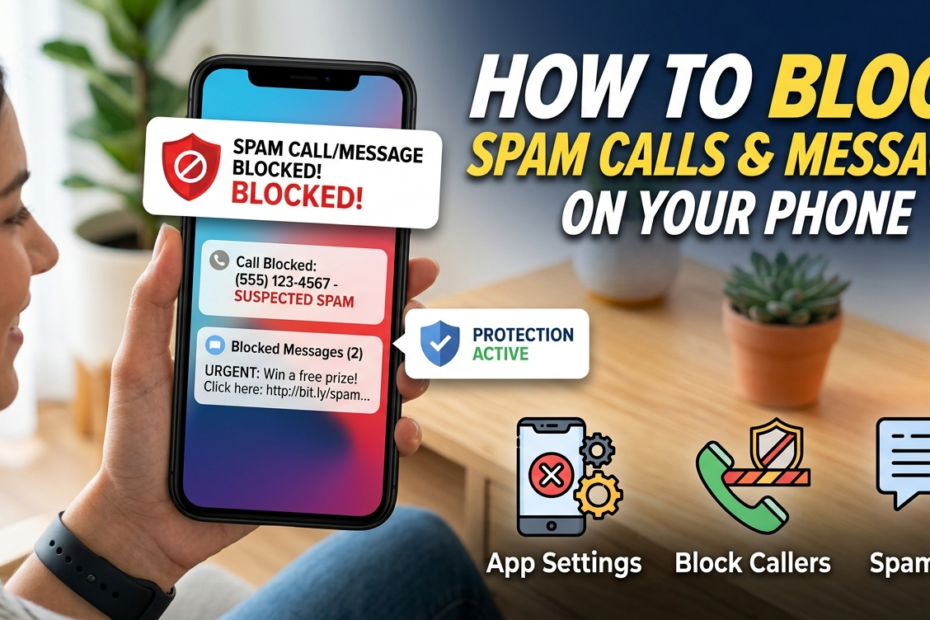
Spam calls and messages have become an everyday nuisance for smartphone users worldwide. From robocalls promoting unknown products to phishing texts aiming to steal your personal information, these interruptions are more than just annoying—they pose a real threat to your privacy and digital security.
Studies show that millions of people receive spam communications daily, leading to wasted time, increased stress, and even potential financial loss if sensitive information is exposed.
While it may seem impossible to avoid these interruptions entirely, the good news is that modern smartphones and third-party tools offer effective ways to block spam calls and messages.
By understanding how to use built-in phone features, reliable apps, and carrier services, you can regain control over your device and reduce unwanted disturbances.
In this guide, we’ll walk you through practical, step-by-step methods to block spam calls and messages on your phone, helping you protect your personal information, improve your productivity, and enjoy a quieter, safer mobile experience. Say goodbye to constant interruptions and take control of your phone today.
Why Blocking Spam Calls and Messages is Important
Blocking spam calls and messages is not just about avoiding annoyance—it’s essential for protecting your personal information and maintaining peace of mind.
Many spam communications are designed to trick users into revealing sensitive details, such as banking information, passwords, or other personal data. Clicking on links in suspicious messages can also lead to malware infections, which compromise your phone’s security and put your data at risk. Identity theft is another serious concern, with scammers using your personal information to commit fraud.
Beyond security risks, spam calls and messages significantly disrupt daily life. Constant interruptions can affect productivity, focus, and even mental well-being, especially for professionals who rely heavily on their phones.
In fact, studies show that over 50% of smartphone users report receiving spam calls at least once a week, while countless others are targeted by unwanted messages.
By taking steps to block these communications, you not only safeguard your personal data but also reduce stress and regain control over your phone. Implementing effective spam-blocking measures ensures a safer, more productive, and more enjoyable mobile experience.
Methods to Block Spam Calls and Messages
Spam calls and messages can be a constant headache, but with the right tools and techniques, you can significantly reduce—or even eliminate—the problem. Here are practical methods to regain control of your phone.
A. Use Built-in Phone Features
Most smartphones come with built-in features that help block spam calls and messages.
For Android users:
-
Open the Phone app and go to Settings.
-
Tap Caller ID & spam and enable Filter spam calls.
-
You can also block individual numbers by selecting the call in your recent list, tapping Details, and choosing Block/report spam.
For iPhone users:
-
Go to Settings > Phone > Silence Unknown Callers and toggle it on. This sends calls from unknown numbers directly to voicemail.
-
To filter messages, go to Settings > Messages > Filter Unknown Senders. This separates texts from people not in your contacts, reducing spam clutter.
B. Install a Trusted Third-Party App
Third-party apps can offer advanced spam detection and automatic blocking. Apps like Truecaller, Hiya, or RoboKiller identify spam callers and telemarketers in real-time.
These apps maintain large databases of known spam numbers and automatically block or alert you when a potential spam call or message comes in. Most also allow you to report new spam numbers, helping the community stay protected.
C. Contact Your Carrier
Many mobile carriers provide spam-blocking services, often for free. These can include:
-
Automatic identification and blocking of known spam numbers.
-
Reporting tools to alert the carrier about suspicious calls.
-
Optional premium services that provide advanced filtering and call-blocking features.
Contacting your carrier ensures an additional layer of protection, especially against robocalls that bypass normal phone settings.
D. Manual Blocking Techniques
For numbers that keep slipping through, manual blocking can be effective.
-
Block numbers directly: On most phones, select the number from your recent calls or messages, tap Block/Report, and the number will no longer reach you.
-
Report spam: Depending on your country, you can report spam messages to regulatory authorities or government platforms that track and take action against spammers.
E. Adjust Privacy Settings
Preventing spam before it reaches you is always preferable. Consider these steps:
-
Restrict who can contact you through app and phone privacy settings.
-
Disable receiving messages from unknown senders on messaging apps.
-
Avoid sharing your phone number publicly online to reduce spam exposure.
By combining built-in phone features, reliable apps, carrier tools, manual blocking, and privacy adjustments, you can create a comprehensive system to protect your phone from spam calls and messages. Implementing these methods not only improves security but also creates a more peaceful, interruption-free mobile experience.
Tips to Avoid Future Spam
Preventing spam calls and messages is often easier than dealing with them after they arrive. One of the simplest yet most effective strategies is to avoid sharing your phone number publicly. Posting your number on social media, websites, or online forms can make it easy for scammers and telemarketers to target you.
Another key tip is to never respond to unknown messages or calls. Even replying with “stop” can confirm to spammers that your number is active, potentially leading to more unwanted messages or calls. Treat all suspicious communications with caution and avoid clicking on unknown links.
Where available, signing up for Do Not Call registries can also reduce spam. These official lists help legitimate businesses avoid calling your number, limiting unsolicited telemarketing calls. While it won’t block all spam, it is an extra layer of protection when combined with other methods like phone settings and trusted apps.
By following these simple precautions, you can minimize the chances of receiving spam, protect your privacy, and maintain a smoother, interruption-free mobile experience.
Conclusion
Blocking spam calls and messages doesn’t have to be complicated. By using built-in phone features, trusted third-party apps, carrier services, and simple safe practices, you can significantly reduce unwanted interruptions and protect your personal information.
Taking proactive steps—such as adjusting privacy settings and avoiding unknown contacts—ensures a safer, more productive mobile experience. Start implementing these methods today to regain control of your phone and enjoy a spam-free, worry-free digital life.
Frequently Asked Questions
How do I permanently block spam calls and messages
Blocking spam calls and messages permanently requires a combination of tools, settings, and habits. The first step is to use your phone’s built-in call-blocking and messaging features.
Most smartphones today, whether Android or iOS, offer the ability to block specific numbers and report them as spam. On Android, for example, you can go to the “Phone” app, select the recent call or number you want to block, and choose the “Block” option.
Similarly, on iPhones, you can open the “Phone” or “Messages” app, tap the info icon next to the number, and select “Block this Caller.” These actions prevent that specific number from contacting you in the future.
Beyond individual number blocking, activating spam filters is essential. Many mobile carriers offer free or paid spam filtering services that automatically detect and block suspected spam calls and messages.
Services like AT&T Call Protect, Verizon Call Filter, and T-Mobile Scam Shield can help prevent most spam before it even reaches your phone. Additionally, third-party apps such as Truecaller, Hiya, or RoboKiller can provide more advanced protection, identifying numbers associated with scams or telemarketers globally.
These apps often rely on large user databases to recognize spam patterns and can be configured to automatically block suspicious calls and messages.
Another effective approach is to register your phone number with national “Do Not Call” or anti-spam lists. In the United States, for instance, the National Do Not Call Registry allows you to opt out of telemarketing calls, while similar programs exist in other countries. While this won’t stop all spam, it significantly reduces the number of unsolicited calls you receive from legitimate companies.
Finally, practicing safe phone habits helps minimize spam exposure. Avoid sharing your number on public websites, social media, or untrusted forms. Be cautious with apps that request access to your contacts, as some may sell your information to telemarketers.
Always report spam calls and messages when possible, as this contributes to databases used by carriers and apps to identify spammers. By combining built-in features, carrier tools, third-party apps, and cautious sharing habits, you can drastically reduce, and in many cases almost permanently block, spam calls and messages.
How to stop spam calls and SMS
Stopping spam calls and SMS starts with identifying the source of the problem and using multiple layers of protection. Modern smartphones come with native features to reduce spam.
For example, Android phones often have an option called “Caller ID & Spam Protection,” which identifies suspicious calls and allows automatic blocking. iPhones have a feature called “Silence Unknown Callers,” which sends all calls from numbers not in your contacts straight to voicemail, effectively reducing interruptions from spammers.
Another practical method is to use dedicated apps. Truecaller, Hiya, and RoboKiller are popular for detecting spam numbers and automatically blocking them. These apps maintain global databases of known spammers and frequently update them, ensuring that most spam attempts are intercepted before reaching your phone.
SMS spam can be addressed with similar methods. Both Android and iOS allow you to filter unknown senders. On iOS, you can activate “Filter Unknown Senders” in the Messages settings, which moves messages from numbers not in your contacts to a separate folder. On Android, the Messages app often includes a spam filter that detects suspicious links and numbers, allowing you to report them as spam.
Your mobile carrier can also help. Many carriers provide free tools to block spam, including call and message filtering, number reporting, and spam alerts. For example, AT&T Call Protect, Verizon Call Filter, and T-Mobile Scam Shield all provide options to block spam calls automatically.
Lastly, adopting safe communication habits reduces spam risk. Never share your number on public platforms, avoid responding to suspicious messages, and regularly report spam. By combining your phone’s settings, third-party apps, and carrier services, you can effectively stop spam calls and SMS, keeping your device cleaner and your personal information safer.
How do I block spam calls on my phone settings
Blocking spam calls directly from your phone settings is straightforward and depends on whether you use Android or iOS. On Android devices, open the Phone app and navigate to the recent calls list.
Select the number you want to block, tap “More” or the three-dot menu, and choose “Block” or “Block number.” Many Android devices also have a “Caller ID & Spam Protection” option in the Phone app settings that automatically detects and warns you about potential spam calls. You can enable this feature to have your phone proactively manage unwanted calls.
For iPhones, go to the Phone or Messages app, find the number you want to block, tap the info icon, and select “Block this Caller.” iOS also offers “Silence Unknown Callers,” which sends calls from unknown numbers directly to voicemail while still allowing them to leave a message if necessary. This feature can be enabled in Settings → Phone → Silence Unknown Callers.
Additionally, both Android and iOS allow you to report spam directly from the call log or message thread. This reporting helps your carrier and app databases recognize and block spammers more effectively over time. By adjusting these settings and using built-in filters, you can control who contacts you and reduce the number of spam calls significantly.
What is the code to block spam calls
There isn’t a universal “code” to block all spam calls because spam detection typically relies on apps, carrier services, or phone settings rather than a simple code. However, some carriers provide USSD codes to manage call blocking.
For example, T-Mobile users can dial #BLOCK# (or #2255#) to activate certain blocking features, while AT&T and Verizon provide codes for specific services. These codes usually let you block all calls from unknown numbers or activate spam alerts but may vary depending on your carrier and country.
The most reliable method to block spam remains using your phone’s settings or a trusted third-party app. Combining these approaches ensures that most spam calls are stopped before they disturb you.
How to block all spam calls on Mobile
Blocking all spam calls on mobile involves proactive configuration of your device and services. Start by enabling your phone’s spam detection and call-blocking features. On Android, turn on “Caller ID & Spam Protection” in the Phone app settings.
On iPhone, activate “Silence Unknown Callers” under Settings → Phone. Next, install a trusted third-party app like Truecaller or RoboKiller, which identifies known spam numbers and automatically blocks them.
Additionally, activate your carrier’s anti-spam tools. Services like AT&T Call Protect, Verizon Call Filter, and T-Mobile Scam Shield can filter calls before they even reach your phone.
For maximum effectiveness, combine all these approaches: phone settings, third-party apps, and carrier services. Avoid sharing your number publicly and report spam calls to strengthen the protection network. With these measures, you can block nearly all spam calls and enjoy a cleaner, interruption-free mobile experience.
How do you check if your number is on a spam list
Checking whether your number is on a spam list is an important step to understand why you may be receiving unwanted calls or messages. There are no universal public databases for spam numbers, but there are several ways to investigate.
Many online services and apps allow you to see if your number has been flagged as spam or associated with suspicious activity. Apps like Truecaller, Hiya, or RoboKiller maintain large databases of reported spam numbers. By registering or checking your number in these apps, you can see if it has been marked as suspicious or if others have reported it.
Another method is to contact your mobile carrier directly. Many carriers provide information about your number’s status in terms of spam protection and whether it is listed in any internal spam-blocking systems. For example, some carriers will notify you if your number has been compromised, spoofed, or if it’s generating spam alerts. Reporting to the carrier can also help prevent others from receiving spam from your number if it has been cloned or spoofed.
Additionally, you can check your number indirectly by monitoring calls and messages. Numbers that are generating a high volume of automated spam calls, or that receive automatic rejection messages from apps and services, may indicate your number is being flagged or used in spam-related activities.
It’s also wise to search your number online. Many websites host user-generated lists of reported spam numbers; if your number appears there, it might be flagged as spam.
Finally, practicing preventive measures—such as avoiding sharing your number publicly, enabling spam protection features on your phone, and using secure communication channels—reduces the risk of being listed on spam databases. While checking if a number is on a spam list is not always straightforward, these steps allow you to investigate and take action to protect your number’s reputation.
How to stop spam calls on phone without blocking
Stopping spam calls without explicitly blocking numbers involves using features and tools that filter or silence calls automatically. On iOS devices, the “Silence Unknown Callers” option sends calls from unknown numbers straight to voicemail, without blocking them entirely.
This way, legitimate contacts who are not in your phonebook can still leave messages, but spam calls do not disturb you. On Android, similar features exist through the “Caller ID & Spam Protection” settings in the Phone app, which can identify suspicious calls and warn you before you answer.
Third-party apps like Truecaller or Hiya can filter spam calls without fully blocking numbers. These apps label calls as “Spam” or “Scam Likely” so that you can choose whether to answer them. Many of these apps also offer automatic call rejection only for verified spam numbers while allowing unknown but legitimate calls to go through.
Your carrier can also assist in stopping spam calls without blocking. Services like T-Mobile’s Scam Shield, Verizon’s Call Filter, and AT&T Call Protect detect and flag potential spam calls, alerting you before the call reaches your phone. These services allow you to manage spam calls passively, minimizing interruptions without blocking any legitimate numbers.
Lastly, enabling Do Not Disturb (DND) modes strategically can reduce spam calls. Both Android and iOS allow calls from contacts or favorites only while silencing others. Combining this with spam filters provides a balance between accessibility and avoiding nuisance calls.
Where are spam settings on Android
Spam settings on Android are typically located in the Phone app or the Messages app, depending on the type of spam you want to manage. To block or filter calls, open the Phone app, tap the three-dot menu or “Settings,” and look for “Caller ID & Spam Protection” or “Block Numbers.” Enabling spam protection here will allow Android to automatically detect and warn you about suspicious calls. You can also add numbers to a block list directly from recent calls.
For messages, open the Messages app, go to “Settings,” and look for “Spam Protection” or “Block & Report Spam.” Some Android versions allow you to automatically filter messages from unknown senders or numbers suspected of spamming. By enabling both call and message spam settings, your Android phone will be more effective at managing unwanted communications.
Can Android Auto block spam calls
Android Auto itself does not directly block spam calls, but it can work with your phone’s spam protection features to minimize disruptions while driving. If your Android phone has spam detection enabled through the Phone app or third-party apps like Truecaller, Android Auto will respect these settings. For instance, calls flagged as spam may not trigger alerts on your Android Auto display, and only legitimate calls from your contacts will ring through.
Additionally, some apps integrated with Android Auto can announce the caller and indicate if it is suspected spam. This allows you to ignore or reject calls safely while driving. However, for complete blocking, you still need to configure your phone’s built-in spam protection or a third-party app. Android Auto acts as a conduit for your phone’s settings rather than a standalone spam blocker.
How to block spam calls forever
Blocking spam calls permanently requires a multi-layered approach. Start by enabling your phone’s built-in call-blocking and spam detection features. On Android, turn on “Caller ID & Spam Protection” in the Phone app, and add known spam numbers to your block list. On iPhone, use “Block this Caller” for repeated offenders and “Silence Unknown Callers” to reduce interruptions from unknown numbers.
Next, use a reputable third-party app such as Truecaller, Hiya, or RoboKiller. These apps maintain extensive global databases of spam numbers and can automatically block them. Many of these apps also update frequently, ensuring that new spam numbers are intercepted quickly.
Your mobile carrier can provide permanent solutions as well. Services like T-Mobile Scam Shield, Verizon Call Filter, and AT&T Call Protect can automatically block scam calls before they reach your phone. Combining carrier services with phone settings and apps creates a near-complete barrier against spam.
Finally, practice safe phone habits. Avoid posting your number publicly, never respond to unknown messages, and regularly report spam calls to help maintain the databases used by apps and carriers. While no method is truly 100% foolproof due to evolving scam techniques, using all these strategies together offers the closest possible way to block spam calls forever.