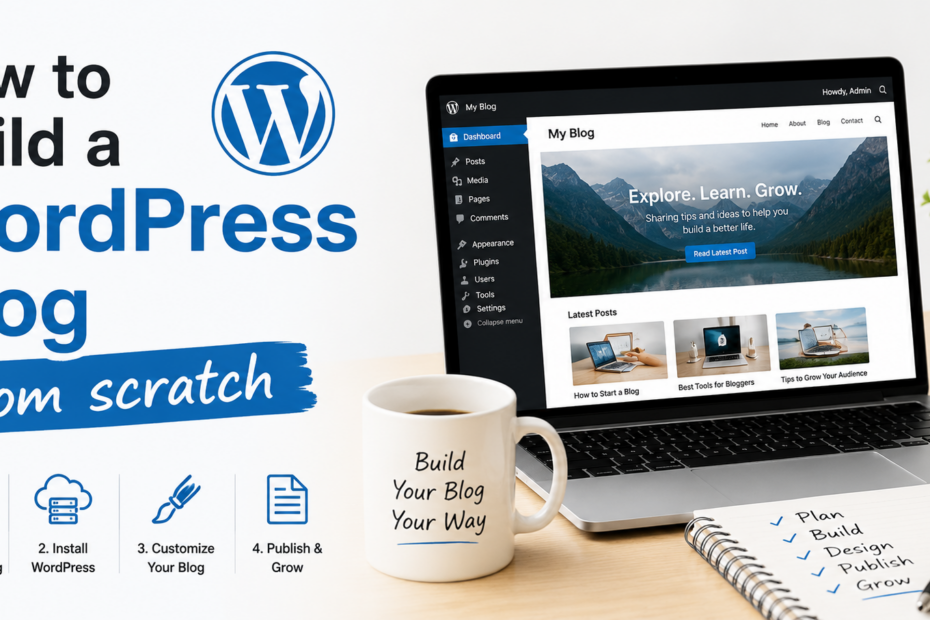
If you’ve ever wondered how to build a WordPress blog from scratch, you’re in the right place. Starting a blog today is one of the most effective ways to share your ideas, showcase your expertise, or even create a source of income online.
WordPress has made this process easier than ever. In fact, WordPress powers over 40% of all websites on the internet, making it the most popular platform for bloggers, businesses, and creatives alike.
The value of having a WordPress blog goes beyond just publishing content. It gives you full control over your website, from design and functionality to search engine optimization (SEO) and monetization options. Whether you want to start a personal blog, a professional portfolio, or a niche website, WordPress provides the tools and flexibility to make it happen.
This step-by-step guide is designed specifically for beginners who want to create a blog from scratch. By following it, you’ll learn how to set up your domain, choose the right hosting, install WordPress, customize your theme, add essential plugins, and optimize your blog for traffic and growth.
Why WordPress is the Best Choice
When it comes to creating a blog, WordPress stands out as the best blogging platform for beginners and professionals alike. One of its biggest advantages is ease of use.
Even if you’ve never built a website before, WordPress makes the process simple with its intuitive dashboard, one-click installations, and easy-to-manage content editor. This makes a WordPress blog setup quick and stress-free.
Flexibility is another key feature. WordPress offers thousands of themes and plugins, allowing you to customize your blog to match your style and functionality needs.
Whether you want a personal blog, a portfolio, or an online store, WordPress can handle it all. Its SEO-friendly architecture also ensures that your content is easily discoverable on search engines, giving your blog a higher chance of attracting organic traffic.
WordPress comes in both free and paid plans. The free version is perfect for beginners testing the waters, while the paid plans provide additional features like premium themes, advanced customization, and professional support. This combination of accessibility, flexibility, and SEO-readiness makes WordPress the ideal choice for anyone looking to start a successful blog.
Choosing a Domain Name & Hosting
The first step in your WordPress blog setup is choosing a domain name and reliable hosting. Your domain name is your website’s address on the internet, so it’s important to pick something memorable, easy to spell, and relevant to your blog’s niche.
Short and catchy names work best, and using keywords related to your blog topic can also help with SEO. Avoid numbers, hyphens, or complicated spellings that can confuse visitors.
Once you have a domain in mind, you’ll need WordPress hosting to make your blog accessible online. Hosting is where your website’s files are stored, and it plays a crucial role in your site’s speed, uptime, and overall performance.
For beginners, reliable and beginner-friendly hosting providers include Bluehost, SiteGround, and Hostinger. These providers offer one-click WordPress installations, excellent customer support, and affordable pricing.
When choosing a hosting plan, consider the cost, uptime guarantee, and included features. Most reputable providers offer plans starting as low as a few dollars per month, which is perfect for new bloggers.
Uptime is critical—choose a host that guarantees at least 99.9% uptime to ensure your blog is always accessible. Many hosts also provide free domain registration for the first year, SSL certificates for security, and easy-to-use dashboards that simplify website management.
Investing time in selecting the right domain name and hosting sets a strong foundation for your blog. With the right choices, your WordPress blog will be fast, secure, and ready to attract visitors from day one.
Installing WordPress
Once you’ve secured your domain name and hosting, the next step in your WordPress setup guide is to install WordPress. Most hosting providers today make this process incredibly simple with a one-click installation feature. Here’s how to get started:
-
Log in to your hosting account – Access the control panel (cPanel) provided by your host.
-
Find the WordPress installer – Look for options like “One-Click Install,” “WordPress Installer,” or “Softaculous Apps Installer.”
-
Start the installation – Click on the WordPress icon and follow the prompts. You’ll be asked to select your domain name, site title, admin username, and password.
-
Install WordPress – Click “Install,” and the system will set up your WordPress blog automatically. In a few minutes, your site will be live.
-
Access your dashboard – Visit yourdomain.com/wp-admin and log in using the credentials you created.
For advanced users, WordPress also supports manual installation, which involves downloading WordPress from WordPress.org, uploading it to your server via FTP, and configuring a database. While this method offers more control, beginners will find the one-click method faster and easier.
After installation, your WordPress dashboard will be your central hub for creating content, customizing your site, and installing plugins. Following this WordPress setup guide ensures a smooth start, even for first-time bloggers, and lays the foundation for a professional and fully functional blog.
Choosing & Customizing a Theme
After installing WordPress, the next crucial step in your WordPress blog setup is choosing and customizing a theme. Your theme determines the overall design, layout, and visual appeal of your blog, so it’s important to pick one that is both attractive and functional.
For beginners, some of the most popular and user-friendly themes include Astra, OceanWP, and GeneratePress. These themes are lightweight, fast, and highly customizable, making them ideal for blogs of all niches.
Once you’ve selected a theme, you can start customizing it to match your brand or personal style. Most modern themes allow you to adjust colors, fonts, header layouts, and page structures without touching any code.
WordPress’s built-in Customizer gives you a live preview of your changes, making it easy to experiment with different looks. You can also create custom menus, add widgets, and set up a homepage that highlights your best content.
A key factor to consider when choosing a theme is responsive design. Your blog should look great and function properly on all devices, including smartphones and tablets.
Mobile-friendliness is not only important for user experience but also plays a significant role in SEO rankings. A fast-loading, responsive theme helps your blog perform better in search engines and keeps visitors engaged longer.
By selecting a beginner-friendly, responsive theme and customizing it thoughtfully, you’ll create a professional-looking blog that reflects your personality or brand. This step ensures your WordPress site is visually appealing, easy to navigate, and ready to attract readers from any device.
Installing Essential Plugins
After choosing and customizing your theme, the next step in your WordPress blog setup is installing essential plugins. Plugins are add-ons that extend the functionality of your blog, helping you improve SEO, security, performance, and user engagement. Knowing which plugins are truly necessary can save you time and keep your site fast.
For SEO, consider installing Yoast SEO or Rank Math. These plugins help you optimize your posts for search engines by analyzing content, suggesting keywords, and managing meta tags. Proper SEO setup ensures your blog is discoverable and ranks higher in search results.
Security is another critical aspect of running a WordPress blog. Wordfence and Sucuri are two of the best security plugins that protect your site from malware, hacks, and unauthorized logins. They provide firewall protection, regular scans, and monitoring to keep your blog safe.
Performance also affects both user experience and SEO rankings. Plugins like W3 Total Cache or WP Rocket improve your site’s loading speed by caching content, optimizing files, and reducing server load. A faster blog keeps visitors engaged and lowers bounce rates.
Additionally, there are optional plugins that enhance engagement and functionality. For example, social sharing plugins allow readers to easily share your posts on social media, while contact form plugins like WPForms or Contact Form 7 make it easy for visitors to reach you.
By installing these must-have WordPress plugins, you can create a secure, fast, and SEO-friendly blog that provides a smooth experience for your readers. Choosing the right plugins is essential to building a professional and high-performing WordPress blog from scratch.
Creating Your First Blog Post
Once your WordPress blog is set up and optimized with essential plugins, it’s time to create your first blog post. Writing an SEO-friendly post ensures your content reaches a wider audience and performs well in search engines.
Start by choosing a clear topic and focus keyword. For example, if your post is titled “How to write your first blog post in WordPress,” your focus keyphrase could be “first WordPress blog post.” Use this keyphrase naturally in your title, headings, and introduction, but avoid keyword stuffing.
Use headings (H2, H3) to organize your content. Breaking your post into sections makes it easier to read and helps search engines understand the structure of your content. For example, headings could include “Choosing a Topic,” “Writing Engaging Content,” and “Adding Images and Links.”
Visual content enhances reader engagement. Include images relevant to your topic, and don’t forget to add alt text describing the image with keywords. This improves accessibility and SEO.
Internal and external links are also crucial. Link to your own blog posts where relevant (internal linking) and to authoritative websites (external linking) to provide additional value. For instance, linking to WordPress.org or popular plugins can help readers and improve your SEO credibility.
Keyword research tools like Google Keyword Planner or Ubersuggest can help you identify phrases your audience is searching for. Write meta descriptions of 150–160 characters summarizing your post, including your focus keyword. A well-crafted meta description improves your click-through rate in search results.
Finally, make your content engaging by using short paragraphs, bullet points, and clear calls-to-action. Encourage readers to comment, share, or explore other posts on your blog. By following these steps, you’ll create an SEO-friendly, professional, and engaging first post that sets a strong foundation for your WordPress blog.
Optimizing for SEO
Optimizing your WordPress blog for SEO is essential to increase visibility and attract organic traffic. Start with the basics: meta titles, meta descriptions, alt texts, and headings.
Your meta title should include your focus keyword and accurately describe the post. The meta description, ideally 150–160 characters, should summarize the content and encourage clicks from search results.
Adding alt text to images improves accessibility and helps search engines understand your visuals. Proper use of headings (H1, H2, H3) organizes your content for readers and search engines alike.
In addition to on-page elements, technical factors like site speed and mobile optimization are critical. A fast-loading blog improves user experience and reduces bounce rates.
Use caching plugins such as W3 Total Cache or WP Rocket to enhance speed. Ensure your theme is responsive so your blog looks great on all devices, including smartphones and tablets, as mobile-friendliness is a ranking factor in Google.
Finally, secure your blog with an SSL certificate. Not only does it protect your visitors’ data, but Google also favors secure websites in search rankings. Most hosting providers offer free SSL certificates, making it easy to enable HTTPS for your site.
By focusing on these SEO fundamentals—well-structured meta tags, optimized images, headings, fast performance, mobile readiness, and security—you’ll set your WordPress blog up for success.
These steps improve search engine rankings, attract more readers, and provide a seamless experience that encourages visitors to stay longer and engage with your content.
Promoting Your Blog
After creating and optimizing your WordPress blog, promoting it effectively is essential to attract readers and grow your audience. Social media promotion is one of the fastest ways to get your content noticed.
Share your blog posts on platforms like Facebook, Twitter, Instagram, and LinkedIn, tailoring your message to each audience. Join relevant groups or communities to engage with readers and increase visibility.
Building an email list is another powerful strategy. Offer a free resource, newsletter, or exclusive content to encourage visitors to subscribe. Email marketing allows you to share new posts directly with your audience, keeping them engaged and driving repeat traffic to your blog. Plugins like Mailchimp for WordPress or ConvertKit can simplify this process.
Collaborations and guest posting are also effective for expanding your reach. Writing posts for other blogs in your niche or inviting guest contributors to your site helps you tap into new audiences. Additionally, link exchanges and social mentions can boost your blog’s authority and credibility.
Consistency is key. Regularly share quality content, interact with your readers, and experiment with different promotional strategies to see what works best for your blog.
By combining social media, email marketing, and collaboration efforts, you’ll steadily increase traffic, grow your audience, and establish your WordPress blog as a valuable resource in your niche.
Conclusion
Creating a WordPress blog from scratch may seem daunting at first, but by following the right steps, anyone can set up a professional and fully functional website.
From choosing a memorable domain name and reliable hosting to installing WordPress, selecting a responsive theme, adding essential plugins, and writing your first SEO-friendly post, each step builds the foundation for a successful blog.
Optimizing your content for search engines and promoting your blog through social media, email marketing, and collaborations ensures your audience grows steadily.
Don’t wait any longer to share your ideas with the world. Start your WordPress blog today and watch your ideas come to life. With dedication and consistency, your blog can become a powerful platform to express your voice, connect with readers, and achieve your online goals.
Frequently Asked Questions
How to Make a WordPress Blog Step by Step for Beginners
Creating a WordPress blog is one of the easiest ways to start sharing content online, even if you have no technical experience. WordPress.org powers millions of websites worldwide because it is flexible, beginner-friendly, and highly customizable.
The first step is choosing a niche for your blog. Pick a topic you enjoy and can consistently write about, such as finance, fitness, technology, travel, or personal development. After choosing your niche, select a domain name that is short, memorable, and relevant to your content.
Next, purchase web hosting from providers like Bluehost, Hostinger, or SiteGround. Hosting stores your website files and makes your blog accessible online. Most hosting companies provide one-click WordPress installation, making setup very easy for beginners.
Once WordPress is installed, log into your dashboard and choose a theme. Free themes are available directly inside WordPress, while premium themes offer more design features. Customize your blog by adding a logo, changing colors, and creating essential pages like About, Contact, and Privacy Policy.
Install important plugins to improve functionality. Popular plugins include SEO tools, security plugins, backup systems, and speed optimization tools. Plugins help enhance your website without needing coding skills.
Now start publishing content. Write high-quality articles focused on helping readers solve problems or learn something valuable. Use keyword research tools to target topics people search for on Google.
Finally, promote your blog through social media, SEO, and email marketing. Blogging success usually takes time, so consistency and patience are very important. The more helpful content you publish, the better your chances of attracting readers and eventually earning income from your blog.
Can ChatGPT Build a WordPress Website?
Yes, ChatGPT can help build a WordPress website in many ways, although it does not automatically create and host the site completely on its own. Instead, ChatGPT acts as a powerful assistant that guides users through the website creation process.
For beginners, ChatGPT can provide step-by-step instructions for setting up hosting, installing WordPress, choosing themes, and configuring plugins. It can also help troubleshoot common WordPress problems and explain technical concepts in simpler language.
One of the biggest advantages is content creation. ChatGPT can generate blog posts, landing page copy, product descriptions, SEO titles, meta descriptions, and website page ideas. This saves bloggers and business owners a significant amount of time.
ChatGPT can also assist with design suggestions. For example, it can recommend layout ideas, navigation structures, homepage sections, and branding concepts for different industries. Developers often use ChatGPT to generate HTML, CSS, JavaScript, or PHP code snippets for customizing WordPress themes and plugins.
Advanced users may combine ChatGPT with AI-powered website builders and automation tools to speed up development even further. Some WordPress plugins now integrate AI features directly into the platform.
However, ChatGPT does have limitations. It cannot independently purchase hosting, deploy websites online, or fully replace human creativity and decision-making. Users still need to choose designs, review content accuracy, and manage website maintenance.
For beginners, ChatGPT is especially valuable as a learning companion. It can explain SEO, plugin settings, blogging strategies, and monetization methods while helping users avoid common mistakes.
In summary, ChatGPT can significantly simplify and accelerate the process of building a WordPress website, but users still need to actively manage and customize the final site themselves.
Can I Learn WordPress in 3 Days?
Yes, it is possible to learn the basics of WordPress.org in three days, especially if your goal is simply to create and manage a basic blog or website. WordPress is designed to be beginner-friendly, which is one reason it powers a huge percentage of websites worldwide.
On the first day, you can learn the fundamentals such as installing WordPress, understanding the dashboard, choosing themes, and creating pages and blog posts. Most beginners quickly become comfortable navigating the admin panel because the interface is relatively simple.
The second day can focus on customization and plugins. You can learn how to install themes, customize layouts, create menus, and use plugins for SEO, backups, contact forms, and security. This is usually the stage where beginners realize how flexible WordPress really is.
On the third day, you can focus on blogging, SEO basics, and website management. Learning how to write optimized articles, manage categories, upload images, and improve site speed can give you enough knowledge to confidently run a simple blog.
However, mastering WordPress takes much longer than three days. Advanced topics like custom coding, eCommerce development, advanced SEO, performance optimization, and security management require more time and practice.
The good news is that you do not need to master everything immediately to start a successful blog. Many bloggers begin with basic skills and improve gradually while building their websites.
Free tutorials on YouTube, WordPress documentation, and blogging communities can accelerate learning significantly. Consistent practice is more important than trying to learn every feature at once.
So while three days is enough to understand the basics and launch a beginner website, becoming highly skilled with WordPress is usually an ongoing learning process that develops over time through experience and experimentation.
Can I Create a Blog on WordPress for Free?
Yes, you can create a blog for free using WordPress.com. The free plan allows beginners to start blogging without paying for hosting or a domain name. This makes it a popular option for students, hobby bloggers, and people testing blogging for the first time.
With the free version, WordPress handles hosting, security, and technical maintenance for you. You simply create an account, choose a theme, and start publishing content. The setup process is straightforward and beginner-friendly.
However, free WordPress blogs come with limitations. Your website address usually includes “wordpress.com” instead of a custom domain name. For example, your blog might appear as “yourblog.wordpress.com.” This can look less professional compared to having your own domain.
The free plan also restricts customization options, plugin installations, storage space, and monetization features. Advertising may appear on your blog, and you have limited control over advanced functionality.
For users who want more freedom, WordPress.org is often the better option. WordPress.org itself is free software, but you must purchase hosting and a domain separately. This version offers full control over design, plugins, SEO, and monetization.
Many successful bloggers start with the free WordPress.com option and later upgrade to self-hosted WordPress as their audience grows.
If your goal is learning blogging basics or practicing content creation, the free version is perfectly fine. But if you plan to build a professional blog, earn income, or grow a long-term brand, investing in self-hosted WordPress is usually the smarter choice.
Overall, WordPress offers one of the easiest and most affordable ways for beginners to start blogging online without needing advanced technical knowledge.
Which Blog Is Best for Beginners?
The best type of blog for beginners is usually one that combines personal interest, low competition, and simple content creation. Starting with the right kind of blog makes it easier to stay motivated and publish consistently.
Personal development blogs are excellent for beginners because topics like productivity, confidence, communication, study tips, and motivation are relatable and easy to write about. These blogs also have strong evergreen potential since people continuously search for self-improvement advice.
Lifestyle blogs are another beginner-friendly choice because they allow flexibility. Beginners can write about routines, budgeting, travel experiences, relationships, or daily habits while discovering which topics attract the most engagement.
For people interested in technology, smaller tech sub-niches work better than broad technology blogs. Examples include AI tools for students, affordable gadgets, or beginner blogging tools. Narrow niches are easier to rank for in search engines.
Local blogs can also perform very well for beginners. Writing about restaurants, transport tips, events, or lifestyle topics related to your city or country often faces lower competition than global topics.
The best beginner blogs usually focus on solving problems. Readers search online because they want answers, solutions, or guidance. Helpful content tends to attract more traffic and build audience trust over time.
Beginners should also prioritize evergreen topics that remain useful for years rather than chasing only short-term trends. Evergreen content continues generating traffic long after publication.
Another important factor is passion. Blogging consistently becomes difficult if you dislike your niche. Choosing a topic you genuinely enjoy makes writing easier and more sustainable long-term.
Ultimately, the best beginner blog is not necessarily the most profitable niche immediately. It is the niche where you can consistently create useful content, learn SEO gradually, and build authority without becoming overwhelmed too quickly.
Do I Need Coding Skills for WordPress?
No, you do not need coding skills to use WordPress.org, especially if your goal is to create a basic blog, portfolio, or business website. One of the biggest reasons WordPress became so popular is that beginners can build websites using themes, plugins, and drag-and-drop builders without writing code.
Most hosting companies provide one-click WordPress installation, making setup simple even for non-technical users. After installation, you can customize your website through the WordPress dashboard by choosing themes, adding pages, uploading images, and installing plugins.
Modern page builders like Elementor and Divi allow users to design websites visually. You can drag sections, buttons, images, and text blocks onto pages without touching HTML or CSS.
However, learning basic coding can still be helpful in the long run. Simple knowledge of HTML and CSS makes it easier to customize designs, fix small issues, and improve website flexibility. Advanced WordPress developers often use PHP, JavaScript, and CSS for deeper customization and plugin development.
For most bloggers and small business owners, coding is optional rather than necessary. Many successful websites are built entirely with pre-made themes and plugins.
The key challenge for beginners is usually learning how WordPress works rather than learning programming. Once you understand themes, plugins, menus, and settings, managing a WordPress site becomes much easier.
So if you are worried about coding, you can relax. WordPress was specifically designed so people without technical backgrounds can still create professional-looking websites and blogs successfully.
Which Is Better, Wix or WordPress?
Choosing between Wix and WordPress.org depends on your goals, technical comfort level, and long-term plans. Both platforms are popular website builders, but they serve different types of users.
Wix is generally easier for complete beginners. It offers an all-in-one platform with hosting, templates, and drag-and-drop editing included. Users can quickly create websites without worrying about technical setup, updates, or security. This makes Wix attractive for personal websites, portfolios, and small projects.
WordPress, on the other hand, offers far more flexibility and control. It powers a huge portion of the internet because users can customize almost everything through themes, plugins, and custom code. WordPress is usually better for bloggers, businesses, online stores, and people planning long-term website growth.
SEO is another important difference. While Wix has improved significantly, WordPress still gives users more advanced SEO control through plugins like Yoast SEO and Rank Math. Many professional bloggers and marketers prefer WordPress because of its scalability and SEO advantages.
Cost structure also differs. Wix includes hosting within its plans, while WordPress.org requires separate hosting purchases. However, WordPress often becomes more cost-effective long-term because users have greater freedom over hosting providers and website customization.
Wix is simpler but more limited. WordPress has a steeper learning curve but offers almost unlimited possibilities.
For beginners wanting quick setup with minimal technical work, Wix may feel easier initially. But for serious blogging, SEO growth, monetization, and full ownership, WordPress is usually considered the stronger long-term platform.
The best choice depends on whether you value simplicity or flexibility more.
Why Is WordPress So Not User-Friendly?
Some beginners feel that WordPress.org is not very user-friendly because it offers so many features, settings, themes, and plugins. Unlike simpler website builders, WordPress prioritizes flexibility and customization, which can make the platform feel overwhelming at first.
One major reason is that WordPress separates different functions into themes, plugins, widgets, menus, and settings. Beginners often need time to understand how these pieces work together. Tasks like configuring plugins, optimizing SEO, or fixing layout issues can feel confusing initially.
Another challenge is that WordPress.org is self-hosted. Users must choose hosting providers, install WordPress, manage updates, handle backups, and secure their websites themselves. Simpler platforms like Wix handle many of these technical responsibilities automatically.
Plugin compatibility can also create frustration. Some plugins conflict with themes or each other, causing errors or slow website performance. Beginners may not know how to troubleshoot these problems.
The dashboard itself contains many options that may seem complicated to new users. While experienced users appreciate the flexibility, beginners sometimes prefer cleaner and simpler interfaces.
However, WordPress becomes much easier after some practice. The platform has a large learning curve at first, but users gain significant control and customization abilities in return. Many bloggers eventually prefer WordPress specifically because it allows more freedom than beginner-focused builders.
Modern page builders like Elementor and Divi have also made WordPress more beginner-friendly by adding visual drag-and-drop editing.
In reality, WordPress is not necessarily “bad” for beginners — it is simply more powerful and flexible than many simpler website builders. Once users understand the basics, the platform usually becomes much easier and more manageable over time.
Is WordPress Easier Than Coding?
Yes, using WordPress.org is generally much easier than building a website completely from scratch with coding. Traditional web development often requires learning HTML, CSS, JavaScript, PHP, and database management. WordPress simplifies most of these technical processes through themes, plugins, and visual editors.
With WordPress, users can create websites by clicking buttons, installing themes, and customizing layouts visually instead of writing large amounts of code manually. Tasks that would normally take developers hours can often be completed in minutes using plugins or drag-and-drop builders.
For example, creating a contact form through coding requires understanding HTML, CSS, backend processing, and security validation. In WordPress, a plugin can generate the same feature with only a few clicks.
However, WordPress still has a learning curve. Beginners must learn concepts such as hosting, plugins, themes, menus, widgets, and updates. While this is easier than coding a full website from scratch, it still requires patience and practice.
Coding also provides greater flexibility and control. Developers who know programming languages can build fully customized websites without relying heavily on third-party plugins or templates. Advanced WordPress customization often involves coding knowledge as well.
For most bloggers, freelancers, and small business owners, WordPress offers the perfect balance between simplicity and flexibility. It allows users to create professional websites without becoming full-time programmers.
If your goal is launching a blog, portfolio, or business website quickly, WordPress is significantly easier than traditional coding. But if you want to become a professional web developer or create highly customized applications, learning coding skills remains extremely valuable.
In short, WordPress removes much of the technical complexity of website creation while still offering enough flexibility for beginners and advanced users alike.
What Is the Easiest WordPress Builder?
The easiest WordPress builder for beginners is often considered Elementor because of its simple drag-and-drop interface and beginner-friendly design tools. Elementor allows users to create professional-looking websites visually without needing coding knowledge.
With Elementor, you can drag text boxes, images, buttons, videos, forms, and other elements directly onto a page while seeing changes in real time. This visual editing style makes website building much easier compared to editing pages through traditional WordPress settings.
Another popular builder is Divi. Divi offers powerful customization features and many pre-designed templates. Beginners like it because layouts can be adjusted visually with little technical experience.
Beaver Builder is also known for simplicity and stability. It may not have as many flashy features as Elementor, but many users appreciate its clean interface and reliable performance.
For people wanting extremely simple website creation, SeedProd is another beginner-friendly option, especially for landing pages and basic business websites.
The default WordPress Block Editor, also called Gutenberg, has improved significantly as well. Many beginners now create entire websites using only the built-in editor without installing extra builders.
Elementor remains the most recommended option for many beginners because it balances ease of use, design flexibility, and large community support. Thousands of tutorials, templates, and add-ons are available online, making learning much easier.
However, the “best” builder depends on your needs. Some builders prioritize simplicity, while others focus on advanced design control. Beginners usually benefit most from choosing a builder with strong tutorials, visual editing, and an active support community.
Related